
Published articles (77)
 September 12, 2026
Somebody followed your channel and you want them gone. You open the Creator Dashboard expecting a control that does that, and there isn't one. There is no <em>Remove follower</em> item in any menu Twitch ships, and that absence is not an oversight you can work around with a setting — it goes all the way down to the API.<br><br>Twitch's Helix reference lists endpoints for blocking a user, banning a user, unbanning a user and reading your follower list. It lists nothing that removes a follow. When a developer asked for exactly that on Twitch's own developer forums in 2021, forum moderator BarryCarlyon answered “there is no API to do that”.<sup data-citation><a href="#cite-barry">[5]</a></sup> Asked again in 2023, moderator Dist was more explicit about why: “no, there's no dedicated endpoint to do that because there's rarely a legitimate reason to make a person unfollow that you don't also want to block”.<sup data-citation><a href="#cite-dist">[4]</a></sup><br><br>That last clause is the whole answer. Twitch has deliberately fused “stop following me” to “block”, so the only way to get the first is to accept the second — with every side effect blocking carries and no way back. This page sets out what each Twitch action actually does, what the third-party removers can and cannot be doing under the hood, and the one case where removing followers is the wrong move entirely.
September 4, 2026Almost every page that answers this question gives you the same four numbers, 24 hours, 3 days, 7 days and 30 days, presented as a fixed ladder you climb one rung at a time. That list is a fossil. Twitch's current policy states a <em>range</em>, not a set of tiers, and in late 2023 Twitch said it was removing the 1- and 3-day suspensions for lower-severity violations entirely and replacing them with two warnings followed by a 7-day. Repeating the old ladder in 2026 gives you a confident answer to the wrong question.<br><br>There is also a second number that matters more than the one you came here for, and it appears in almost none of the results above this page. Your suspension duration is how long you lose access. Your violation <em>expiration</em> is how long the incident stays on your account record: 90 days, one year, or two years depending on severity. It is that clock, not the suspension, that determines how hard you get hit next time. This guide separates the two, explains why a "streaming suspension" and a "chatting suspension" are different penalties with different consequences, and walks the two appeal routes, because choosing the wrong one burns a submission you do not get back.
September 2, 2026The instinct when you are small is to run as few ads as possible, because every viewer feels irreplaceable and an ad break feels like an eviction notice. That instinct is half right and it costs people viewers anyway, because of a trade in Twitch's own documentation that most guides mention second-hand if at all: mid-roll ads you schedule buy off pre-roll ads you cannot see and cannot control. This guide goes through Ads Manager setting by setting, says what to pick at single-digit and low-double-digit viewer counts, and quotes Twitch's Help Centre for every mechanic rather than repeating the folklore. It also flags the thing that changed in 2026 — the Ads Incentive Program no longer exists as a separate opt-in, and a lot of published advice has not caught up.
September 1, 2026The number in red under your player is simpler than the internet thinks, and the confusion around it comes almost entirely from comparing it against numbers that were never measuring the same thing. This guide sticks to what Twitch documents in writing: what the Viewer Count counts, the four different Twitch screens that will happily show you four different figures for the same stream, why a muted stream in a background tab still counts you as a viewer, what actually happened during the October 2025 lurker panic, and how to read your own number straight from Twitch's API instead of trusting a graph in an extension.
9 мая 2026Twitch ships only a small set of default global emotes by default. Three third-party browser extensions — BetterTTV (BTTV), FrankerFaceZ (FFZ), and 7TV — let viewers and streamers see and use thousands of additional channel-specific and community emotes. The practical 2026 verdict: 7TV wins on emote quantity (1,000 free channel slots) and modern AVIF format performance, BetterTTV wins on install base and global emote culture (KEKW, OMEGALUL, monkaS, PepeHands), FrankerFaceZ wins on chat-customization power-user features. All three are free to install; only 7TV has an optional paid subscription tier with cosmetic perks.
9 мая 2026Prime Gaming is the gaming bundle included with every Amazon Prime membership at no additional cost. It gives you one free Twitch channel subscription per month to spend on any Affiliate or Partner streamer, plus a rotating selection of free PC games each month and in-game loot for popular titles. It does not remove ads across Twitch — that perk was retired from the Prime tier in 2018 and now belongs to a separate paid product called <a href="/blog/twitch-turbo-guide">Twitch Turbo</a>. Amazon Prime currently costs $14.99/month or $139/year in the US, and if you don't already pay for Prime, the cheapest legitimate path to the free Twitch sub is the 30-day Amazon Prime trial.
9 мая 2026Twitch's native /shoutout command is the official tool broadcasters and moderators use to promote another streamer in chat. Launched in September 2022 as the replacement for the deprecated /host, it surfaces a click-to-follow pop-up at the top of chat and sends a notification to the recipient's Activity Feed. Using it requires Affiliate or Partner status, can only be triggered by the broadcaster or a moderator, and is rate-limited to once every 2 minutes. The bot-side alternatives (/so or !so via Nightbot, Streamlabs Cloudbot, etc.) have no tier requirement and can be customized but are plain chat messages — they do not produce the native Twitch follow pop-up.
 April 30, 2026
An animated Twitch emote is a looping GIF rendered in chat at three required sizes (28x28, 56x56, 112x112 pixels), capped at roughly 1 MB per file and 60 frames, and only uploadable by Affiliates and Partners. Twitch shipped the feature on June 17, 2021 for Partners. Affiliates got rolled in by year-end. APNG and WebP animations? Not supported on Twitch itself in 2026 — if you want those formats live in chat, you need a third-party extension like 7TV. This guide covers exact specs, current slot counts after the December 2023 expansion, the design pipeline that actually passes review, and the eight rejection patterns you can dodge before submitting.
April 30, 2026OK — quick framing. If you've never opened twitch.tv, here's the thing: anyone with a laptop, a webcam and a half-decent upload pipe can go live to the whole world from their couch. The crowd? Mostly games, Just Chatting, music — in that order, give or take. Public beta dropped June 6, 2011 as a Justin.tv spin-off. Amazon wrote the $970M check in August 2014. Today the shop runs out of San Francisco with Dan Clancy at the wheel. Cracking open Twitch's about-page in May 2026 puts the dashboard around 240M monthly actives, 35M daily, ~2M concurrent at any given second, and roughly 1.4B hours watched a month. Watching costs nothing. Streamers earn through three sub tiers ($5.99 / $9.99 / $24.99), Bits (a penny each lands in the creator's pocket), ads, and direct tips — bigger channels eventually graduate from Affiliate to Partner. The rest of this guide unpacks what Twitch actually is, how the pipe works under the hood, what it pays, who's on it, and how it lines up against Kick and YouTube Live in 2026. Numbers will carry most of the load.
 April 30, 2026
Twitch custom messages cover everything from a subscriber's 255-character resub banner to bot-driven auto-replies, Channel Point text rewards, /announce highlights, and pinned chat. This guide separates each type, explains who can send what, and shows the exact setup steps with Nightbot, StreamElements, and Streamer.bot in 2026.
 April 30, 2026
Bits are Twitch's built-in tipping currency. Viewers buy them in the web store or the mobile app, then drop them into chat as a Cheer to tip a streamer, trigger animated Cheermotes, and get chat badges. This guide gives you the 2026 prices, the exact chat command, the Cheermote tiers, what changed with Power-ups, and a few etiquette rules most articles skip.
 April 30, 2026
Twitch closed captions sit at the boundary of two truths. The platform has shipped CC infrastructure since 2016 and rolled out an AI captioning pilot in 2023, yet most streams still ship with no captions at all. Honestly — the gap is on the streamer side of the pipeline. Encoder data, an extension, or an OBS plugin must produce the text before the viewer-facing CC button does anything. Worth flagging: this guide walks through every working method in 2026, the tradeoffs each one carries, and the pitfalls people hit on iOS, Chromecast, and gaming jargon.
 April 30, 2026
Tags are short labels you attach to a live broadcast so Twitch knows who to recommend it to. Since the August 2022 redesign, the platform has dropped its old curated pool and lets streamers pick up to 10 free-form tags, each up to 25 characters, made of letters, numbers, and accent marks. Used well, the right ten lift a stream out of a crowded category. Used carelessly, they pull in the wrong audience and tank dwell time. This guide covers both sides.
 April 30, 2026
Twitch Inspector is the free diagnostic dashboard at inspector.twitch.tv that records every broadcast you send to Twitch's ingest layer for the past seven days. It charts bitrate, RTT, frame drops, disconnects and the server you hit, so you can prove whether the lag is on your side or theirs. This guide walks the full test-stream workflow, every metric on the graph, and the fixes that actually move the numbers in 2026.
 April 30, 2026
You want to go live this week. Not next quarter. Twitch is still chewing through ~1.7 billion hours watched per month in 2026 ([streams charts monthly stats](https://streamscharts.com/news)), and the gap between a first stream nobody sees and a channel that holds 3 concurrent viewers comes down to five technical decisions plus the unglamorous habit of pressing Go Live on a fixed schedule. This guide walks every one of them. From Sign Up click to clearing the Twitch Affiliate threshold. With the 2026 numbers older tutorials still get wrong.
 April 30, 2026
A Twitch ingest server is the regional endpoint that receives your RTMP feed before Twitch transcodes and ships it to viewers. Pick a busy or badly-routed one and your channel sees dropped frames, bitrate dips and disconnects, even on a clean 1 Gbps line. After Twitch quietly cut its ingest list in September 2025, the question is no longer where to stream from. It is which of the surviving endpoints is healthy for your ISP today.
 April 30, 2026
A bad stream happens. Maybe a desktop notification flashed your bank balance, your cat knocked the mic down, or you tested OBS scenes for two hours with the title still set to a previous category. The fix is the Video Producer, and Twitch finishes the job in under a minute once you know where to click. This guide walks the deletion flow on PC and mobile, covers bulk cleanup, separates VOD from highlight from clip, and answers the messy edge cases that cost streamers hours of confusion.
 April 30, 2026
Twitch info panels are those rectangular blocks under the player on your About tab. People use them for the short bio, the weekly schedule, a donation link, social handles, a gear list, chat rules. This guide takes a 2026 streamer through every step that actually matters: where the Edit Panels toggle hides, the strict 320 px width rule, the 2.9 MB image ceiling, the markdown that does and doesn't render, the mobile editor workaround, and the panel layouts that pull follows.
 April 30, 2026
A stream overlay is the layer that turns a raw webcam feed and a game capture into a recognisable channel. Camera frame, alerts, chat, sub goal, Starting and BRB scenes, all sitting at 1920x1080 over your gameplay. You can ship one in an hour with free packs, or spend €150 on a custom commission. This guide walks the full path: pick a pack or design from scratch, size every element, drop it into OBS or Streamlabs, and test before going live.
 April 30, 2026
Harassment on Twitch arrives in three shapes: one rude viewer, a coordinated hate raid. A slow drip of borderline messages your audience reads as neglect. Each shape needs a different response. This 2026 playbook walks through the official toolkit Twitch shipped between 2021 and the December 2025 Lead Moderator rollout, the chat commands every broadcaster should memorize. The third-party automation that fills the gaps Twitch still leaves open.
 April 30, 2026
Want the full follower list, more than just the headline number? On Twitch, the word "followers" gets confused with paid Subscribers. The official mobile app hides most of what you actually need. The full list lives in Creator Dashboard under Community, with growth charts in Insights. Below: the desktop path, the mobile workaround, search and sort tips. The API and CSV options, plus what to do when the count looks wrong after a Twitch bot sweep.
 April 30, 2026
Twitch has no public DM inbox. The platform's only built-in private channel is the whisper. A one-to-one message that lives in a separate panel from public chat. Use it and you need three things: a verified phone number on the account. A recipient who has not switched off whispers from strangers. A sense of the rate limits that quietly cap most senders at forty new conversations per day.
 April 30, 2026
Across a base PS5 Slim, an Xbox Series X. A docked Switch 2: PS5 takes roughly four and a half minutes from boot to live with no extra hardware. Xbox Series X|S takes the same native path, party-chat audio handled inside the system Guide. Switch and Switch 2 still ship with zero built-in broadcast, so the route runs through an HDMI capture card and a PC running OBS. No way around it. This 2026 guide walks each console step by step, names the exact menus, lists capture cards that actually work (HDCP must be disabled first on PS5 or the broadcast stutters), and points out where viewers usually catch streamers off guard. Numbers matter on this one.
 April 30, 2026
GeForce Experience used to ship a one-click Twitch broadcaster inside its Alt+Z overlay. The NVIDIA App replaced GeForce Experience on November 12, 2024, and the Twitch broadcast button didn't survive the migration. Streamers on legacy GeForce Experience installs can still go live. Everyone else needs a small detour through OBS, Twitch Studio, or Streamlabs. This guide walks both paths and tells you which one fits your hardware.
 April 30, 2026
A Twitch Extension is a small web app that lives inside your channel page and adds something a stock layout cannot do. It runs in a sandboxed iframe, talks to Twitch through a JavaScript helper, and shows up either as a panel under your video, a docked component on top of the player, or a transparent overlay across the whole stream. By April 2026 the slot rules and install flow are stable, and the Bits-in-Extensions split that matters for your wallet is locked at 80% to the streamer and 20% to the developer.
 April 30, 2026
A Hype Train is Twitch's group celebration mode that activates when a channel collects enough subs, gift subs and bit-cheers from different users inside a 5-minute window. The shared bar fills, levels stack, and everyone who pitched in walks away with limited badges and emotes that disappear once the train ends.
 April 30, 2026
Worth knowing. Twitch Affiliate is the first paid step on the platform. And an average of 3 concurrent viewers) and Twitch sends an automatic invite by email and dashboard notification within 24 to 72 hours — hit four numbers inside a rolling 30-day window (25 followers, 4 hours of streaming, 4 different days, per <a href="https://help.twitch.tv/s/article/joining-the-affiliate-program">Twitch's Affiliate program page</a>). Subs, Bits and ad revenue follow once you accept the agreement, finish the tax interview and pick a payout method. This piece walks the entire path. How Twitch counts each metric, how to track progress on the Achievements page. What the onboarding screens actually ask for, what the Plus Program adds on top. The small mistakes that block thousands of streamers every month from going live with a Subscribe button.
April 30, 2026A Twitch raid sends every viewer in your stream over to another live channel. You type /raid channel_name, a 90-second confirmation window opens. At zero the audience pours into the target chat carrying your channel name with them. This guide covers the command, the receiving side, who can fire it, why hate raids changed the rules in 2022, and what realistic growth looks like once the dust settles.
April 30, 2026Getting from zero to a stable Twitch audience is half traffic and half algorithm. Twitch ranks streams by signals that real viewers produce: dwell time, chat density, return rate, and how cleanly your concurrent count holds across the session. This guide covers the organic moves that move those signals, then breaks down what "viewer boosting" actually means in 2026: which providers send real residential-IP presence, which ones still ship bots that get flagged inside an hour, and how to tell the difference before your card hits.
April 30, 2026Nightbot is a free, cloud-hosted chat bot for Twitch and YouTube Live. You sign in at nightbot.tv with your Twitch account, click Join Channel, type /mod nightbot in your stream chat, and the bot starts running custom commands, timers, and spam filters within five minutes. The whole stack is free, with no paid tier required to get extras that competitors lock behind a subscription.
 April 30, 2026
Twitch follower counts are the headline number every new streamer watches. They get the 50-follower Affiliate door, sit on every brand-deal pitch deck, and show up first on a profile. Yet a high follower count by itself moves nothing in the Twitch algorithm. What lifts a channel out of the 0-viewer zone is concurrent viewers, chat velocity, and follow-through retention. This guide walks the 14 tactics that actually grow real followers in 2026, the trade-offs of the lazy ones, and where paid viewer support fits without setting off bot detection.
 April 30, 2026
Getting recommended on Twitch is less about going viral and more about feeding the right signals into a recommendation system that mostly serves logged-in users their own watch history. The homepage you see when you load twitch.tv is not the homepage your potential viewer sees. That single fact reshapes the whole growth strategy. This guide walks through every surface where a stream can land (front page carousel, browse rank, Discovery Feed, suggested channels) and what each one actually rewards in 2026.
April 30, 2026Promoting a Twitch channel in 2026 looks different from the advice you saw two years ago. The August 21, 2025 viewbot enforcement wave wiped out a 22% slice of platform-wide concurrent viewership in a single afternoon, according to analyst Zach Bussey. The systems that replaced it weight chat velocity, retention and category fit far above raw viewer count. The result: small channels that produce real engagement signals climb faster than ever, while channels relying on padded numbers stall out. This guide covers what actually moves the needle now. Niche category selection with TwitchTracker and SullyGnome data. A 3-day-a-week schedule held in the same time slot for at least four weeks. A clip-to-TikTok loop using StreamLadder, Eklipse or Opus Clip to feed Discovery from outside the platform. Raid and collab pacts with streamers within 30% of your average. A Discord that captures viewers when the broadcast ends. Stream announcements scheduled on X mid-week. And an honest take on where a small paid viewer presence fits and where it doesn't. Skip to the section that matches your stage, or read top to bottom if you're starting from zero.
April 30, 2026Twitch chat on screen is a free engagement upgrade. Done right, the same browser source carries names, badges, BTTV emotes and a transparent background that does not fight the gameplay. Done wrong, you ship a white square that eats CPU and viewers cannot read. This guide walks the popout URL, the dimensions that fit a 1920x1080 canvas, the custom CSS streamers actually paste, the StreamElements and Streamlabs widgets, the BetterTTV / FrankerFaceZ / 7TV trick, plus the Stream Deck button that toggles chat on and off mid-stream.
 April 30, 2026
Twitch Drops are free in-game rewards a publisher gives you for watching streams of their game. Link your Twitch ID to the game account, hop into a stream tagged "Drops Enabled" for the required minutes, and the item lands in your Drops Inventory. Claim it inside the campaign window. Skip any step and the reward never reaches the game.
 April 30, 2026
Mobile IRL on Twitch means going live from a phone, out in the world, with the camera following you instead of you sitting still in front of one. The format runs in three sub-categories on the platform now (IRL/Just Chatting, Travel & Outdoors, and Pools, Hot Tubs & Beaches). The honest 2026 gear answer: the camera is fine, audio is the bottleneck, and the network is the only piece that can end your show early.
 April 30, 2026
Mod View is the dedicated dashboard moderators load at twitch.tv/moderator/<channel>. It bundles AutoMod, Shield Mode, the Suspicious Users widget and a chat panel into one screen so a moderator can review, ban, time out and approve appeals without bouncing between tabs. This guide walks through every widget, the 2024 iOS rollout, the 2025 Lead Moderator role and the chat commands a working mod uses every stream.
 April 30, 2026
Films on Twitch in 2026? Nothing like three years back. Amazon pulled the plug on Prime Video Watch Party on April 2, 2024 — and most blog posts you'll dig up still recommend exactly that, which means they're wrong. So this guide is two things stitched together. A glossary, because the legal vocabulary actually decides what you can and can't show. And a 9-pick shortlist of public-domain titles I'd stream tonight without flinching. Plus the real DMCA bans Twitch handed out when streamers got cocky.
April 30, 2026Almost every new Twitch streamer starts the same search: free followers, fast. The SMM-panel results that flood the first page promise 50 or 100 free followers in minutes, and they all share one quiet detail. Those followers do not watch, they do not chat, and Twitch's anti-fake-follower system removes them in batches. This guide walks the methods that actually grow real Twitch followers in 2026, the trade-offs of the lazy ones, why follow-for-follow fails, and where paid viewer support fits without setting off bot detection.
April 30, 2026If you searched for free Twitch viewers in 2026, you found two things: services that promise 10 free viewers in one click, and forum threads warning you that those services are how channels get banned or accounts get hijacked. Both are true at the same time. This guide separates the free tactics that actually move the Twitch algorithm in 2026 from the free bot offers built on detected datacenter IPs and credential traps. Read it before you paste your channel URL into the next form on Google.
 April 30, 2026
There are two distinct things people mean by "Twitch picture-by-picture". One is multistream: two or more channels visible side by side in a single browser window. The other is picture-in-picture (PIP): one stream in a floating mini-player above your other apps and tabs. Twitch retired Squad Stream on January 17, 2024 and pushed everyone toward Stream Together for the on-stream side, while the off-stream side is still served by third-party tools and the native PIP support in Chrome, Edge, Firefox, Safari, iOS and Android. This guide separates the two paths, points at the cleanest tool for each, and flags the trade-offs Twitch's own help docs do not spell out clearly.
April 30, 2026Fake viewers on Twitch are no longer a fringe problem. A January-August 2025 study of 52,314 streams put bot prevalence at 39.6% on Twitch and 68.7% on Kick, and on August 21, 2025 Twitch shipped a new detection wave that knocked global concurrent viewership down by roughly 24% in the days that followed. For a streamer evaluating a competitor, a brand checking a sponsorship target, or a creator auditing their own paid promotion, knowing how to read the signals is now a basic skill. This guide walks the five checks that matter, the free tools that surface them, and where real-viewer support sits inside that picture.
April 30, 2026Twitch Affiliate is the first paid checkpoint on Twitch. There is no application form. Once your channel reaches 25 followers, 4 hours of broadcast time, 4 different stream days, and an average of 3 concurrent viewers inside the same rolling 30-day window (<a href="https://help.twitch.tv/s/article/joining-the-affiliate-program">per Twitch</a>), Twitch sends the invitation to the Creator Dashboard, your registered email, and the Achievements page. Onboarding is a short flow: read the agreement, finish the tax interview, pick a payout method, and switch on subs and Bits. This guide walks the whole path with the exact 2026 numbers, the 5-minute CCV math behind the 3-viewer rule, the W-9 vs W-8BEN choice for non-US streamers, and the small print that tends to slow people down for an extra week.
 April 30, 2026
Guest Star is the native Twitch tool that lets you pull other Twitch users into a single broadcast without third-party software. Twitch rebranded the feature to Stream Together at TwitchCon Las Vegas on October 20, 2023. The focus shifted toward streamer-to-streamer collaborations. Quick note — the flow is the same one viewers see today: invite, vet in a backstage room, push live, manage audio and video from the dashboard. And how Stream Together compares to a Discord call routed through OBS or to Streamlabs Collab Cam — this guide covers the 2026 state of the feature: how to start a session, how to wire it into OBS via browser sources, what the recording rules really say.
 April 30, 2026
Every category looks taken until you start filtering by viewer-to-channel ratio. The reality of Twitch in 2026 is simpler than it feels: roughly 92,000 channels go live on an average day, the median channel sits at 26 viewers. Just Chatting alone runs at about 301,500 average concurrents against 4,700 live streams. Here is the thing — picking a format is mostly picking a slot you can actually be visible in. This guide walks through 22 ideas, the data behind them. A 7-day starter plan so the next stream is on the calendar before you close the tab.
 April 30, 2026
The Twitch Stream Manager is the live cockpit inside the Creator Dashboard at dashboard.twitch.tv/u/<channel>/stream-manager. It groups every in-stream control into one screen: title and category, Activity Feed, Stream Health, Quick Actions, Chat, Stream Markers, Goals and Charity. This guide covers the full 2026 widget catalog and a six-step setup that takes about 12 minutes the first time you run through it.
 April 30, 2026
Most Twitch problems are settings problems. A creator forgets to flip on "Store past broadcasts" and loses a 6-hour stream. A viewer wonders why notifications never arrive, when really every channel was left on "Off". An account gets phished because two-factor auth was skipped. This reference walks the full Twitch Settings panel as it looks in April 2026, names the eight tabs you actually use, and gives short how-to fixes for the things readers ask about most: changing the password, swapping the email, renaming the username, claiming Prime, killing recommendations, and logging out of devices you can't physically reach.
 April 30, 2026
Twitch Affiliate is the first paid step for a streamer on Twitch. Reach 25 followers, 4 hours of streaming, 4 different days, and an average of 3 viewers ([per Twitch's Affiliate program page](https://help.twitch.tv/s/article/joining-the-affiliate-program)) in a rolling 30-day window, and Twitch sends an invite to monetize. That sentence covers the headline. Most of the confusion sits in the small print: how the rolling window works, why your own face on camera doesn't count toward the 3-viewer average, what the Plus Program changed in 2024, and whether simulcasting to Kick will get you removed.
April 30, 2026Twitch Channel Analytics lives inside the Creator Dashboard and grades your channel across six pages: Overview, Achievements, Stream Summary, Discovery, Engagement, and Earnings. Each page answers a separate question, from "who watched me last week" to "where did the new viewers come from." Read it once a week and you stop streaming on instinct.
 April 30, 2026
A Twitch channel page is the storefront a new viewer hits the second they leave a raid, click a clip, or land from a Google search. The banner sets the tone, the avatar travels with you across chat, the panels turn the About tab into a mini landing page, and the offline image keeps the player branded when you aren't live. This guide is the full reference: exact pixel sizes, file size caps, formats, character limits, the partner-only catches, and the mobile gotchas that ruin a banner that looked perfect on desktop.
 April 30, 2026
Channel Points are Twitch's built-in loyalty currency. Viewers earn them just for watching, and they spend them on rewards you configure: pinning a chat message, unlocking a sub emote for a day, or anything custom you invent. The system is free for the broadcaster, native to the player, and one of the few engagement features Twitch ships out of the box.
 April 30, 2026
Twitch chat is the loudest part of any stream and the most misread one. It looks like a comment box. Behaves like an IRC channel, and runs on rules that change every few months. Look — this guide walks the full surface in plain English: the 500-character message cap, native and subscriber emotes, third-party emote browsers like BTTV, 7TV and FrankerFaceZ, the colour and whisper commands, cheermotes, mentions, chat replay in VODs, and the phone-verified chat policy that started catching out viewers in 2024. Read it once, and you'll know what every icon, badge and slash command is doing on screen.
April 30, 2026Twitch's slash-command list is already past 50, and the platform keeps shoving stuff around. Three-year recap, real fast: /host hit the bin October '22. /shield dropped that November. /shoutout, /pin landed September '22. /warn went live June '24. Below: every working command (verified at help.twitch.tv as of 2026-05). Grouped by who can fire it, with exact syntax, plus the gotchas that catch people sideways. Bookmark once. Skip the second tab.
 April 30, 2026
A Twitch clip is a short video cut from a live broadcast or VOD that any logged-in viewer or moderator can grab in two clicks. The published length runs from 5 to 60 seconds. Clips live on the streamer's channel and on a permanent twitch.tv URL, and they've become the cheapest distribution lever a small streamer has. The same 30-second cut works on TikTok, Reels and YouTube Shorts.
 April 30, 2026
Walking a fresh Twitch signup end-to-end takes about ten minutes, give or take. The form sits at twitch.tv/signup and wants four things: username (4-25 chars), password, date of birth, email. Phone number? That is the hidden fifth ask. Why hidden? Because Twitch flipped phone-verified chat into a hard global gate in September 2024. No verified mobile, no chat anywhere on the platform. Period. Below: every part of the flow (verified at twitch.tv/signup as of 2026-05), the rules that shifted late 2025. The picks that decide whether the username you grab today still fits the channel you want to grow next year.
 April 30, 2026
Twitch has no built-in donation button. Bits and subscriptions are the only payments handled inside the platform, so every "donate" link you see on a stream goes through a third-party tip service like Streamlabs, StreamElements, Ko-fi or Tiltify. The setup is simple. Pick a service. Connect your Twitch account. Link a payment processor. Drop the page link into a Twitch panel and the widget link into OBS. The whole flow takes about fifteen minutes if you already have a PayPal or Stripe account ready.
 April 30, 2026
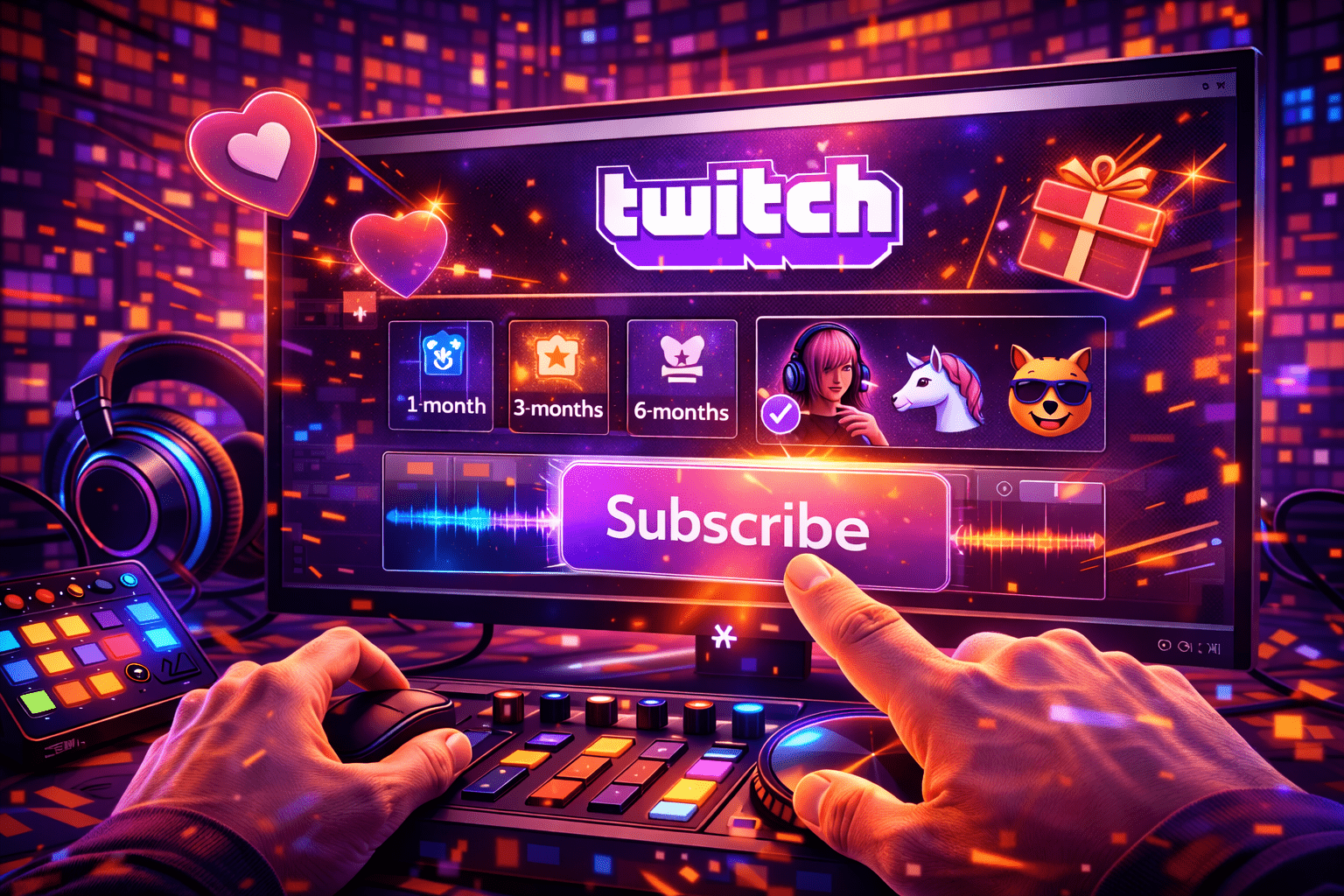
Subscribing on Twitch turns a free viewer into a paying supporter for one specific streamer. You unlock that channel's emotes across all of Twitch, get a chat badge that grows with each month you stay subbed, lose pre-roll ads on the channel, and send the streamer a direct revenue share that affiliates and partners can actually live on. This guide walks through every working path in 2026: web checkout, the iOS and Android apps, gift subs to a friend or to the community, the free monthly sub bundled with Amazon Prime, and the trade-offs between them. Prices, payment methods and the rules around sub streaks have all moved in the last 18 months, so the steps you read on a 2023 forum thread will mislead you. The numbers and screens here are current as of April 30, 2026.
 April 30, 2026
A Twitch clip is a five- to sixty-second cut of a live stream or VOD that any logged-in viewer can grab in two clicks. The trick is not making one. The trick is running a workflow. The streamers who pull followers off TikTok every week treat clips as an assembly line: capture during the broadcast, trim in the in-Twitch Clip Editor, batch-export from the Clip Manager, then push verticals to Reels, Shorts and TikTok via a tool like StreamLadder or Eklipse. This guide walks through the exact 2026 flow on desktop, mobile, and in repurposing tools, with the small settings most beginners miss.
 April 30, 2026
Once a Twitch chat starts moving faster than you can read, role assignment stops being optional. The platform now ships seven distinct roles that decide who can ban. Who can edit your stream title, who bypasses slow mode, and who can change moderation settings the broadcaster used to control alone.
 April 30, 2026
Phone streaming on Twitch went from clunky side feature to a real production path in March 2026. The official app now ships with a resizable chat overlay. Picture-in-picture multitasking and a 90 second disconnect-protection buffer for shaky cellular signal. This guide walks through what you need, how the Go Live flow works on iOS and Android, when to reach for Streamlabs Mobile, Larix or PRISM Live Studio, and how to keep a hot phone from killing your broadcast.
 April 30, 2026
Music sets the tone of a channel, but on Twitch the wrong track ends a stream. Audible Magic listens to your VODs, three confirmed copyright complaints terminate a repeat infringer, and a paid Spotify subscription gives you zero broadcast rights. This guide compares the seven music sources that work in 2026, with real prices, license scope, and the trade-offs the marketing pages bury.
 April 30, 2026
You can install the official Twitch app from the LG Content Store and log in with a 6-character code at twitch.tv/activate — if your LG TV runs webOS 3.5 or newer (any model from 2017 onward). Older sets and a handful of regions where the app is hidden need a workaround: AirPlay from an iPhone, Chromecast from Android or a Chrome tab, an HDMI cable from a laptop, or a Fire TV stick plugged into a free port. This guide walks the official path, names the bugs you'll hit, and lists every working alternative when the app refuses to load.
 April 30, 2026
A Twitch poll is a built-in viewer voting feature, available to Affiliates and Partners, that lets the broadcaster or a moderator post a question with two to five answers and a 1 to 10 minute timer. Viewers cast one free vote, and optional Channel Points or Bits unlock extra votes for power users. This guide covers the exact rules, the chat-command path, the Stream Manager path, what mods can and cannot do, the mobile-app gap, and the third-party fallbacks for streamers who have not hit Affiliate yet. Every spec is checked against Twitch's help portal and the Helix Polls API as of April 2026.
 April 30, 2026
Pick of the litter, in 2026: OBS Studio 32.1.2 for the encoder, StreamElements or Streamer.bot for chat and overlays, Sound Alerts for paid Bits alerts, NVIDIA App for ShadowPlay-style instant clips, VoiceMeeter Banana for audio routing on Windows, and StreamLadder or Eklipse to slice VODs into vertical clips. Twitch Studio is gone. The recommended stack now lives outside Twitch.
 April 30, 2026
Sub emote = the custom image (static or animated) that flips from locked to clickable the second a viewer pays for the Subscribe button on your channel. The classic first-time rejection is a 1.04 MB GIF nudging just over the 1 MB cap — common enough that it's worth flagging up front. Affiliates kick off with 5 static slots and 1 cheer slot; the ladder goes up to 20 combined static plus animated through Sub Points. Partners start at 6 T1 slots and the top rung is 60. Statics are PNG only with a transparent alpha. Animated stays GIF in 2026 — APNG exports from Photoshop are rejected by the Creator Dashboard uploader at the input step (verified at twitch.tv/p/partners on 2026-05). Three sizes are mandatory: 28x28, 56x56, 112x112. Each capped at 1 MB. This guide covers the slot table after the December 2023 expansion, the exact upload flow on the Creator Dashboard, the eight rejection patterns the StreamRise team sees most often kill submissions, the four emote types your viewers see in chat, and a glossary of the words that come up in any sub-emote conversation.
 April 30, 2026
A mobile sub on Twitch in 2026 looks the same as a web sub from the inside: emotes carry across every channel you visit, the sub badge shows up next to your name in chat. Pre-rolls disappear on the channel you supported. The price tag is what changed. Since October 1, 2024, a Tier 1 sub bought inside the iOS or Android app costs $7.99 in the US, while the same Tier 1 on the Twitch website still bills at $5.99. The $2 gap is the Apple and Google app-store cut, passed through verbatim.
 April 30, 2026
A Twitch Team is a Partner-only collaboration space at twitch.tv/team/<name> that groups multiple channels under one shared page, with cross-promotion to viewers when members go live. This guide covers what a Team really is, how it differs from a Discord group or a Squad Stream, who can create one in 2026, and the exact steps to join an existing Team. Examples and FAQ included.
 April 30, 2026
Twitch Turbo is Twitch's own ad-free, account-wide subscription. As of 2026 it sits at $11.99 per month in the United States after a price hike from $8.99 in May 2024. You also get a purple Turbo badge, custom username color via hex codes, two extra emote sets and 60-day VOD storage instead of 14. This guide breaks down every benefit, the country price quirks, how it compares to a Prime Gaming sub, and the cases where Turbo simply isn't the right buy.
 April 30, 2026
Per-channel currency you earn just for showing up — Twitch Channel Points are a free. They live next to the chat box on every Affiliate or Partner stream, build up while you watch, and spend on rewards the streamer sets: a highlighted message, a sub-emote unlock, a song request, a dare. They cost nothing real and they cannot be cashed out.
 April 30, 2026
Twitch two-factor authentication is the single thing that keeps a determined attacker out when your password leaks. For a streamer with a monetized channel, that one extra step can be the difference between a lazy Sunday and an emergency support ticket about a hijacked account.
 April 30, 2026
Twitch lets you rename the account, but the rules are tight in 2026. You can change the username once every 60 days, the new handle has to fit a 4-25 character window of letters, numbers and underscores, and the old handle stays parked for about six months before another account can claim it. The good news: followers, subs, channel points, sub badges, VODs, clips and chat history all carry over. This guide walks the actual rename screen, names the few errors that quietly block the button, and shows the post-rename checklist most streamers skip.
April 30, 2026Twitch verification is not one thing. It is at least five separate checks layered on top of each other, and most help articles online conflate them. There is the email confirmation you do at signup, the phone number you may be asked for to chat in some channels, the two-factor authentication required to broadcast, the age-assurance flow that now applies in the UK, EU and Australia, and the Persona identity check Twitch silently introduced for some Affiliate payouts in early 2026. The purple Verified badge is a sixth thing entirely, and almost no creator under 75 average viewers will ever see it.
 April 30, 2026
A Twitch VOD is a saved recording of a live broadcast. The platform turns the live feed into an on-demand video the moment you stop streaming, but only if you flipped one switch in the dashboard before going live. New streamers miss this all the time. They finish a five-hour debut, open the channel page next morning, and the Videos tab is empty.
April 30, 2026Quick note — Twitch never publishes a master list of banned words. The platform combines a private slur filter (built into AutoMod and not user-editable), four configurable filter categories you tune yourself. A Blocked Terms list every channel maintains by hand. Quick note — knowing where each layer lives is the difference between a clean chat and a 24-hour suspension. And the moderation tools that shipped between 2021 and 2025 — this 2026 guide walks through every layer, the rules Twitch enforces site-wide.
 April 29, 2026
Picking a phone for streaming is a different problem from picking one for daily use. A stream hammers the SoC, the modem and the battery simultaneously, and the device has to hold that under pressure for two, four, even eight hours. No stutters, no frame drops, no thermal meltdowns. Honestly — in a 60-second YouTube hands-on, most flagships look identical. The gaps only show up over a full 1080p60 broadcast.
 April 29, 2026
A music stream is a different beast from a chat-and-game broadcast. With Just Chatting, viewers tend to forgive an average mic, a noisy room, a hum on the line. With music, every flaw shows up like a fingerprint on glass. Honestly — the signal chain stops being background plumbing and becomes the show itself, which is why most of the gear decisions you make as a music streamer come down to the same question: how clean does the sound need to be before viewers stop noticing it and start enjoying it?
 April 29, 2026
Using a phone in place of the usual webcam is one of the fastest ways to upgrade your picture without spending serious money. Modern handsets ship with surprisingly sharp optics, and in many living-room setups they outperform a dedicated camcorder you might already own. The approach pays off most when you don't have a webcam at all, or when the one on top of your monitor produces that washed-out, low-bitrate look every Twitch viewer recognizes within two seconds. Look — this guide walks through which apps actually work, how to wire the phone in, and how to keep the stream stable for hours at a stretch.