
Recommended Twitch streaming software in 2026: a working stack, not a toy box
April 30, 2026
Updated April 30, 2026
A creator I work with hit this last week — pick of the litter, in 2026: OBS Studio 32.1.2 for the encoder, StreamElements or Streamer.bot for chat and overlays, Sound Alerts for paid Bits alerts, NVIDIA App for ShadowPlay-style instant clips, VoiceMeeter Banana for audio routing on Windows, and StreamLadder or Eklipse to slice VODs into vertical clips. Twitch Studio is gone. The recommended stack now lives outside Twitch.
We rebuilt this guide because the old version pretended Twitch Studio was still a real choice and capped the list at four encoders Worked through this with a Variety streamer on Saturday.. A creator I work with hit this last week — twitch shut Twitch Studio down on May 30, 2024, and a 2026 streamer's tool list runs to eleven or twelve apps across encoder, audio, chat, alerts, clipping, and hardware control. Alex here: below is the comparison table, the pricing reality, and the picks we ship for our own viewer-service test channels.

What a recommended Twitch software stack must cover in 2026
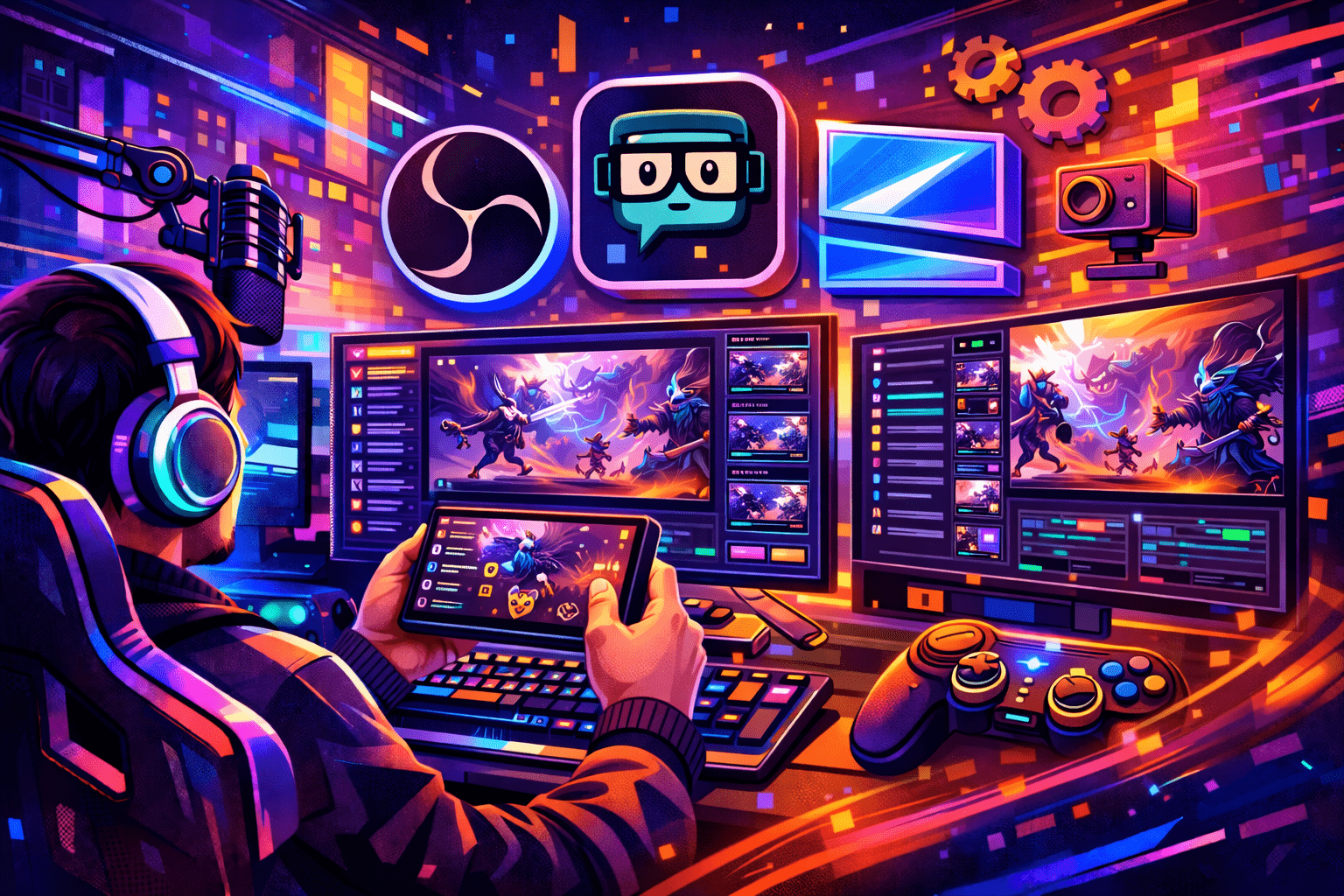
A modern stack covers six jobs, not one. The encoder pushes pixels. The audio router separates voice from game. The chat bot handles spam, commands and timers. The alert layer turns subs and Bits into on-screen events. The clip workflow rescues highlights for shorts. Hardware control glues all of it to one button surface. Skip a layer and your stream feels patched together.
Below is the checklist we run any candidate tool through before it earns a slot. If it fails three or more lines, it doesn't belong on a serious 2026 channel.
- Captures screen, camera and mobile feeds at 1080p60 without dropping more than 1% of frames on a mid-range CPU.
- Routes mic, game, music and Discord on independent audio buses so chat hears the right mix and you stay copyright-clean.
- Streams to Twitch RTMP with H.264 (AVC) at 6,000 to 10,000 kbps; Twitch still rejects H.265 and AV1 on the ingest side.
- Supports Twitch Enhanced Broadcasting via OBS multitrack video, so RTX 40-series owners can ship 1080p plus 720p plus 480p in one push.
- Hosts scenes, transitions, sources and global filters with hotkey or Stream Deck triggers.
- Carries browser-source overlays from StreamElements, Streamlabs or Sound Alerts without extra plugins.
- Connects to a chat bot for AutoMod, follower-only mode, slow mode and timers.
- Saves replay buffer clips to disk while streaming, no Shift+Alt+Tab needed.
- Plays well with VoiceMeeter or Loopback so OBS, the browser, Discord and the game all land on different tracks.
- Logs cleanly when something breaks, because something will break.
If a tool ticks every box, it earns a place. If not, it is a hobby app, not a stack member.
The 12 most recommended Twitch tools in 2026, with prices
Twitch itself, after retiring Twitch Studio on May 30, 2024, formally points new streamers at OBS Studio, Streamlabs Desktop, XSplit, vMix, Elgato Game Capture, Live Gamer Extreme and Lightstream. The community has added five more categories the platform never advertised: chat bots, alert engines, clip tools, hardware control and audio routers. Here is the full set.
From eight years on this dashboard, oBS Studio 32.1.2 — the default encoder
Free, open source, ships on Windows, macOS and Linux (confirmed in the Twitch Creator Camp doc on 2026-04-29). Version 32.1.2 dropped April 21, 2026 From eight years of running Partner onboarding for an agency.. The 32.1 line rebuilt the audio mixer with a vertical default layout, added WebRTC simulcast. Tested last shift. Now exposes Twitch Enhanced Broadcasting under multitrack video for streamers on a 12 Mbps upload with a transcoding-capable GPU. OBS dominates: estimates peg it at 60 to 70% of top channels. Alex here: cPU draw runs 20 to 30% lower than Streamlabs Desktop on identical hardware, and the plugin ecosystem covers everything from green-screen replacement to Twitch Studio-style guided setup Worked through this with a Variety streamer on Saturday..
Streamlabs Desktop — OBS plus a beginner UI
Built on the OBS rendering engine, with widgets, alerts, donations and themes welded on. The free tier covers most needs. From eight years on this dashboard, streamlabs Ultra is $27 per month or $189 per year, students cut that in half with the STUDENT code. Alex here: the catch: Streamlabs runs Chromium widget hosts in the background even when idle, costing 3 to 8% extra CPU. Here is the thing — on an 8 GB laptop with NVENC at 1080p30, OBS sustains where Streamlabs drops frames within 20 minutes. The 2024-2025 class action over silent paid enrolments still stings in community memory, so read the checkout flow before you tap Subscribe From eight years of running Partner onboarding for an agency..
Here is the thing — xSplit Broadcaster — Windows-only polish
From eight years on this dashboard, paid, Windows-exclusive, $15 a month or $199 lifetime. Cleaner default UI than OBS, solid scene transitions, decent recording From eight years of running Partner onboarding for an agency.. Real talk: xSplit vCam adds background removal at $5.95 a month. Sensible if you hate the OBS look and live on Windows. Worth pinning to the dashboard. Otherwise OBS does the same job for free.
In my Affiliate onboarding work, vMix — pro multi-camera and esports work
Tier-priced one-time licences with 12 months of updates: Basic $60, HD $350, 4K $700, Pro $1,200 (confirmed in the Twitch Creator Camp doc on 2026-04-29). Real talk: up to 1,000 inputs, NDI routing, virtual sets, instant replay, multi-view switching, broadcast-grade stability. Overkill for a solo Twitch channel. Worth pinning to the dashboard. But the standard for sports, churches and esports productions.
Lightstream Studio — cloud encoder for consoles
Cloud-based, browser-controlled, no install. Plans from $8 a month. Made for Xbox and PlayStation streamers who cannot install OBS on the console itself: the Xbox Twitch app or HDMI capture pumps to Lightstream's cloud, and Lightstream sends out the polished feed.
StreamYard — browser studio for guests and podcasts
Browser-only, no download. Free tier streams to two destinations and supports up to ten people in the studio. Alex here: paid plans start at $20 a month and unlock 10-hour cloud recordings plus multistreaming. Best fit for IRL talk shows, interviews and podcast formats. Weak choice for fast-twitch gaming because the browser engine cannot match an OBS NVENC pipeline.
Restream — multistream router
Distribution layer, not an encoder. Free tier streams to two channels with a watermark. Standard $16 a month for three channels, Professional $39 a month annual for five at 1080p, Business $199 a month for eight. Most useful when you want to push the same scene out to Twitch, Kick and YouTube without paying the multitrack cost on your own GPU.
Look — nVIDIA App — the ShadowPlay successor
Honest take from the trenches: geForce Experience reached end of life in November 2024. The NVIDIA App took over and shipped 1.0 with full feature parity plus AV1 capture at 4K and 120 fps on RTX 40-series cards. Worth pinning to the dashboard. 8K HDR replays, an HDR-on-any-game overlay and 120 fps system capture. Login is optional for basic features. ShadowPlay, Freestyle and game optimisation still want an NVIDIA account. Pair with OBS Replay Buffer and you've two independent paths to a clip when the moment lands Worked through this with a Variety streamer on Saturday..
VoiceMeeter Banana / Loopback — audio routing
On Windows: VoiceMeeter Banana, donationware from VB-Audio, three hardware inputs and two virtual ones, perfect for splitting Discord from game from music Worked through this with a Variety streamer on Saturday.. A creator I work with hit this last week — on macOS: Rogue Amoeba's Loopback ($109) and Audio Hijack ($69) do per-process capture without touching system audio. In my Affiliate onboarding work, either path lets you mute music for VOD without killing the live mix.
Honest take from the trenches: streamElements / Streamer.bot — chat, overlays, automation
StreamElements is the cloud all-in-one: chat bot. Tested last shift. Alerts, tipping, overlays, merch. From eight years on this dashboard, sodapoppin and HasanAbi run cloud bots like Fossabot in the same tier. Streamer.bot is the local power-user pick: free, runs on your machine, hooks Twitch, YouTube, Kick and Trovo, and ships 350+ triggers and 300+ sub-actions including direct OBS WebSocket scene control. Sery_Bot has protected 230,000+ channels from hate raids since 2018 and stays free. Nightbot remains the simplest first install. Moobot covers song requests and polls for community-first channels.
Sound Alerts — Bits-monetised soundboard
Twitch extension, official approval. Viewers spend Bits to trigger sounds, GIFs and now text-to-speech. The 5.0 update added thumbnails, leaderboard redesign and clearer cooldowns. One of the few alert tools that turns engagement into revenue without a tip jar.
A creator I work with hit this last week — streamLadder / Eklipse — clip-to-vertical pipeline
Honest take from the trenches: streamLadder reformats Twitch clips to 9:16 with auto captions, facecam framing and brand kits for TikTok, Reels and Shorts. Then exports vertical clips — eklipse's AI auto-detects gameplay highlights on Twitch, Kick and YouTube by recognising kills, victories and key in-game events. Opus Clip and Submagic sit in the talking-head lane: speech-pattern detection that fits Just Chatting better than Apex. CapCut covers manual edits. Pick StreamLadder for safe defaults, Eklipse for FPS games, Opus for podcasts.
Elgato Stream Deck — physical control surface
Stream Deck MK.2 sits at $150 list, often $119.99 on Amazon. 15 LCD keys, USB, Mac and PC. Maps OBS scenes, mute toggles, Streamer.bot actions and chat shouts to single presses. Stream Deck XL and the new Stream Deck + XL push button counts and add a touch strip. Once you wire it up you stop tabbing out mid-stream and your hands stay on the game.
How to choose your stack: four streamer profiles, four answers
There is no single correct stack. There are four common profiles, and each one maps to a sensible default. We sort by hardware budget, content style and how much time you want to spend in settings menus.
Profile 1 — total beginner on a laptop
OBS Studio for the encoder, Nightbot for chat moderation, Sound Alerts for Bits-driven alerts, StreamElements browser source for follow and sub alerts. No subscription, no Stream Deck, no audio router yet. With Twitch Studio retired, OBS plus the Streamlabs theme installer is the closest thing to the old guided setup. That one bites everyone. A fresh OBS install on an i5 with 8 GB RAM holds 1080p30 NVENC for hours. Add VoiceMeeter the day Discord shows up in your VOD.
Profile 2 — gamer with an RTX 40-series PC
OBS 32.1.2 with multitrack video for Twitch Enhanced Broadcasting at 1080p60 plus 720p, NVIDIA App for parallel ShadowPlay clips, Streamer.bot for OBS scene automation, Stream Deck MK.2 for hotkeys, VoiceMeeter Banana for the four-bus mix. Eklipse on top to slice the kill clips overnight. AV1 multi-encode means viewers on slower connections still get smooth video, and your local recording stays at higher quality than the broadcast track.
Profile 3 — IRL, podcast or Just Chatting host
StreamYard for guest links and browser simplicity, OBS as a backup encoder, Loopback or VoiceMeeter for clean audio, StreamElements for cloud overlays, Opus Clip for talking-head shorts. The studio-feel Twitch needs for a non-gaming format leans on guest workflow and audio quality more than encoder power.
Profile 4 — pro studio or esports caster
From eight years on this dashboard, vMix Pro on dedicated production hardware, NDI for camera routing, Elgato 4K capture cards, Streamer.bot for automation, Stream Deck + XL for caster cues, multitrack audio out to a hardware mixer. Restream optional if you push the same feed to YouTube and Kick simultaneously. Budget starts at $1,200 for vMix and climbs from there. That one bites everyone. A dedicated streaming PC is mandatory.
Alex here: five questions cover the rest:
- Skill level — fresh streamers should not pay for Streamlabs Ultra; OBS plus Nightbot covers month one.
- PC specs — under 16 GB RAM, skip Streamlabs Desktop; OBS handles weak rigs better.
- Game type — FPS or BR? Eklipse. Talk show? Opus Clip. Variety? StreamLadder.
- Multistream plans — own GPU strong enough for multitrack? OBS handles it free. Otherwise Restream's cloud route.
- Hardware budget — Stream Deck MK.2 pays for itself the first time you swap scenes mid-fight, but $119 is real money for hobby channels.
We document the OBS-versus-Streamlabs split in more depth in our Streamlabs vs OBS 2026 verdict and run beginners through a full first-stream walkthrough in the streaming software guide. Audio configuration deserves its own piece — start with how to configure a microphone in OBS. Visual layer first? See how to make a stream overlay. Capture cards, webcams and the new Twitch enhanced broadcasting paths also have dedicated guides on the blog: game capture, webcam setup, and multistreaming to Twitch and beyond.
Frequently asked questions about Twitch streaming software
Honest take from the trenches: is OBS Studio still the best Twitch streaming software in 2026?
Yes for most channels. OBS 32.1.2 supports Twitch Enhanced Broadcasting via multitrack video, runs free on Windows, macOS and Linux, and uses 20 to 30% less CPU than Streamlabs Desktop on the same machine. Streamer.bot and StreamElements close the gap on widgets and automation without the Streamlabs subscription tax.
From eight years on this dashboard, what replaced Twitch Studio after the May 2024 shutdown?
2024 after usage stayed under 4% of total streamed hours — twitch retired Twitch Studio on May 30. The platform now points new streamers at OBS Studio, Streamlabs Desktop, XSplit, vMix, Elgato Game Capture, Live Gamer Extreme and Lightstream. We recommend OBS plus a Streamlabs theme pack for the closest first-time-streamer experience.
In my Affiliate onboarding work, do I need Streamlabs if I already have OBS Studio?
No. OBS plus a browser source pointed at a StreamElements or Streamlabs widget URL gets you the same alerts and overlays without the higher CPU cost. The Streamlabs killer feature is speed of first stream, not anything OBS lacks at the engine level.
Can I stream on Twitch without a webcam?
Yes. Twitch does not require a webcam, only a stream key. A 2024 viewer survey of 5,300 respondents showed 83% prefer face-cam streams, and channels like LIRIK have built audiences without one. If you skip the webcam, lean harder on personality, voice quality and a clean overlay.
What chat bot should a new streamer install first?
Nightbot for simple setup. StreamElements if you also want overlays, alerts, tipping and merch in the same dashboard. Streamer.bot once you outgrow cloud bots and want OBS scene control, custom C# scripting and 350+ triggers running locally.
Does Twitch accept AV1 or HEVC streams in 2026?
Twitch ingest still requires H.264 (AVC) for the main feed. Setting OBS to H.265 or AV1 in the regular RTMP settings causes stream rejection. AV1 lives only inside the Enhanced Broadcasting multitrack pipeline on RTX 40-series GPUs, where Twitch handles the codec routing on its side.
How do I get instant clips like ShadowPlay used to do?
Two routes. NVIDIA App's ShadowPlay successor records up to 4K 120 fps AV1 on RTX 40-series cards. OBS Replay Buffer set to 60 to 90 seconds with a hotkey gives the same result inside your encoder. Run both: one as primary, one as backup.
Is there free streaming software for console-only streamers?
The Xbox Twitch app and PlayStation broadcast feature ship for free but offer no scene control. Lightstream Studio's free tier adds overlays in the cloud; paid plans start at $8 per month. Most console streamers either capture HDMI to a PC running OBS or commit to Lightstream.
Pick the encoder first, then add layers in order: encoder, audio router, chat bot, alerts, clipper, hardware control. Skipping the audio layer is the single mistake we watch viewers make most often. A clean stack out of the box beats a feature-heavy stack you cannot debug at 11 PM. Once the stack is stable, the only growth tool you still need is the audience.
If you already have a working stack and the audience is the gap, our service ships real US-IP viewers to live channels. Try the StreamRise Twitch viewer service for a measured boost while you keep iterating on overlays and clip pipelines.

