
Published articles (55)
 November 4, 2026
Several popular guides say Partners and Affiliates can add a delay in Twitch's dashboard. Twitch's own feature table says otherwise. Its Stream Delay (Stream Manager) row reads No for all streamers, No for Monetization Setup Complete, No for Affiliates and "Up to 15 minutes" for Partners.<sup data-citation><a href="#cite-benefits">[1]</a></sup> The same table adds that "Any Twitch user can add stream delay, provided they broadcast to Twitch using software that allows users to add a stream delay."<sup data-citation><a href="#cite-benefits">[1]</a></sup><br><br>If you are not a Partner, go to Section 2 for OBS or Section 3 for Streamlabs. If you are a Partner, Section 4 is yours. If you stream from a console or phone, go to Section 6.
November 2, 2026You are modding a stream, the streamer switched games, and the category still shows the old one. You open Mod View and find no way to edit it. That is expected: Twitch lists "Editing stream info" under the Editor role, not under moderators.<sup data-citation><a href="#cite-roles">[1]</a></sup><br><br>Section 2 covers getting the Editor role. Section 3 covers bot commands and the setting that makes StreamElements ignore ordinary mods. If something already failed, go straight to Section 6.
November 1, 2026If you earned money on Twitch this month, it is not due this month. Twitch says "Partners and Affiliates are paid on or around the 15th of each month", for revenue from the month before.<sup data-citation><a href="#cite-when">[1]</a></sup> Its contract is looser, allowing "within forty-five (45) days after the end of each calendar month".<sup data-citation><a href="#cite-msa">[5]</a></sup><br><br>Section 2 has the actual dates and Section 3 the deadlines inside each month. Section 4 covers arrival times. If a payout is late, go to Section 6, or Section 7 if it was rejected. EU streamers should read Section 10 now, because it has a November 2026 deadline.
Октябрь 30, 2026Twitch answers the main question in one line: "Additional Twitch accounts can be created at any time granted you adhere to the Terms of Service and Community Guidelines."<sup data-citation><a href="#cite-create">[1]</a></sup> The limits sit elsewhere, and they depend on what you share between accounts: an email, a phone number, a Google login or a monetized channel.<br><br>Section 1 has all the limits in one table. Sections 2 to 4 cover setup and switching. Section 5 is for anyone who wants to earn on more than one channel. If your main account is suspended, go straight to section 7, because a second account can make that worse.
Октябрь 28, 2026Start with the line Twitch puts at the top of its refund page: "Not all purchases on the Twitch services are refundable."<sup data-citation><a href="#cite-refunds">[1]</a></sup> Its Terms of Sale go further and say the policy is "not to allow cancellations after a purchase and not to offer refunds, including, without limitation, Subscription Services fees."<sup data-citation><a href="#cite-sale">[2]</a></sup> Yet the same help page describes when Twitch does refund, and how to ask.<br><br>Section 1 is the short answer for each purchase type. Section 2 tells you where to send the request, which depends on how you paid. Section 5 is for readers in the EU and UK, who have an extra legal route. If you only want to stop a sub from renewing, <a href="/blog/twitch-how-to-subscribe">the guide to subscribing on Twitch</a> covers cancelling.
Октябрь 26, 2026The short version is in one line of Twitch's Community Guidelines: "We do permit broadcasting websites focused on fantasy sports, sports betting, and poker at this time."<sup data-citation><a href="#cite-cg">[1]</a></sup> Everything else depends on the game and the site. Twitch does not allow links or referral codes to any site with slots, roulette or dice games, and it bans six casino sites by name, whether you play on them or not.<sup data-citation><a href="#cite-cg">[1]</a></sup><br><br>Section 1 covers what is banned. Section 2 covers what is allowed. Section 3 lists the rules that catch people out, such as logos and restreams. If you only want to know about the content label and who it hides your stream from, <a href="/blog/can-you-swear-on-twitch">our guide to Twitch's profanity rules and labels</a> covers how labels work in general.
Октябрь 24, 2026Twitch describes reports in one line: if someone has broken its Terms of Service or Community Guidelines, "you have the ability to send a report to our Moderation team for review."<sup data-citation><a href="#cite-report">[1]</a></sup> The button you use matters more than most guides say. Twitch asks you to report a message from the message and a video from the video, so its team sees exactly what you mean.<sup data-citation><a href="#cite-report">[1]</a></sup><br><br>Section 1 shows where every report button is. Section 2 is what to write. Sections 3 and 4 answer the two questions that come after: does the person find out, and what will Twitch tell you. If you only want someone out of your chat or inbox right now, <a href="/blog/how-to-block-someone-on-twitch">blocking</a> works without waiting for Twitch.
Октябрь 22, 2026Twitch calls blocking "a personal privacy tool that allows you to stop interactions with specific users across Twitch."<sup data-citation><a href="#cite-bans">[1]</a></sup> It is not a channel tool like a ban. Anyone with an account can block anyone else, and the block follows both accounts everywhere on the site.<br><br>Section 1 gives the three ways to block. Section 2 lists everything a block changes, which is longer than most guides say. Section 4 covers unblocking and finding your block list. If what you really want is to remove one follower, read <a href="/blog/how-to-remove-followers-on-twitch">how to remove followers on Twitch</a> first, because on Twitch that also means a block.
Октябрь 19, 2026Twitch does not ban swearing. Its label guidelines say that "Intermittent use of vulgar language; brief, occasional outbursts; or more frequent use of mild profanity" do not need a label.<sup data-citation><a href="#cite-ccg">[2]</a></sup> What Twitch does regulate is how much, at whom and where. Heavy swearing needs the Significant Profanity or Vulgarity label. Slurs and personal attacks break the Community Guidelines with or without it. Tags have a stricter rule than your voice.<sup data-citation><a href="#cite-ccl">[1]</a></sup><sup data-citation><a href="#cite-cg">[3]</a></sup><br><br>Section 1 is the label threshold. Section 2 is what the label changes. Section 3 is where swearing turns into a violation. Sections 4 and 5 cover chat, usernames and tags. If you are after the words that get chat messages held, read <a href="/blog/banned-words-on-twitch">banned words on Twitch</a> instead.
Октябрь 17, 2026Type !watchtime in a Twitch chat and a bot may tell you that you have spent days watching that channel. The number feels official. It is not from Twitch. A Twitch developer forum answer says: "There is no API to get Watch Time."<sup data-citation><a href="#cite-forum">[3]</a></sup> Every per-channel figure comes from a bot, an extension or your own device, and each one measures something slightly different.<br><br>Section 1 shows where a number can come from. Sections 2 and 3 cover the !watchtime command and what it really counts. Sections 4 and 5 cover your total across Twitch and the extensions that count per channel. If you want to know whether a streamer can see you in the viewer list, read <a href="/blog/can-twitch-streamers-see-who-is-watching">can Twitch streamers see who is watching</a> instead.
Октябрь 14, 2026Your name color is the color your username shows in Twitch chat. Twitch describes it in one line on its Chat Basics page: "Picking a color here will change the color of your username in the chat."<sup data-citation><a href="#cite-basics">[2]</a></sup> There are two ways to change it, a fixed list of free colors, and a paid tier for any color you like. Twitch's own pages disagree on who gets that paid tier, which is why answers online differ.<br><br>Section 1 gives the steps. Section 2 lists the 15 free colors. Section 3 covers custom hex colors. Section 4 is a checklist for when the change does not stick, and Section 5 explains why other people may see a different color than you picked. If you cannot send messages at all, read <a href="/blog/why-cant-i-chat-on-twitch">why you can't chat on Twitch</a> instead. If you want to change the name itself rather than its color, see <a href="/blog/username-rename-twitch">how to change your Twitch username</a>.
Октябрь 13, 2026Twitch's own help page names five kinds of emote: global, follower, subscription, Bits tier and event emotes.<sup data-citation><a href="#cite-useemotes">[1]</a></sup> Many of the emotes chat uses every day are none of those. They come from BetterTTV, FrankerFaceZ and 7TV, tools that run on top of Twitch, and the Twitch help pages on emotes read for this guide do not mention them. That is why the same chat can look full of pictures to one viewer and full of odd words to another.<br><br>Section 1 matches what you see to a cause. Sections 2 to 6 cover each cause and its fix. Section 8 is for streamers whose viewers cannot see their emotes. If your problem is that your messages do not send at all, read <a href="/blog/why-cant-i-chat-on-twitch">why you can't chat on Twitch</a> instead.
Октябрь 9, 2026Twitch offers two ways to leave, and they do different things. In Twitch's words: "Deleting and disabling your Twitch account are separate actions."<sup data-citation><a href="#cite-delete">[1]</a></sup> Disabling is a pause you can undo by logging back in. Deleting is meant to be final: "Deleting your account is a permanent action that wipes your data in accordance with Your Privacy Rights. A deleted account cannot be recovered."<sup data-citation><a href="#cite-delete">[1]</a></sup><br><br>Section 1 has the steps. Section 3 explains the 90 days after you click. Section 4 is a short list of things to do first, and Section 5 is for Affiliates and Partners, who cannot delete until they are offboarded. If you only want a different name, you do not need to delete anything: read <a href="/blog/username-rename-twitch">how to change your Twitch username</a> instead.
Октябрь 8, 2026Twitch added a rewind button to live streams in September 2025.<sup data-citation><a href="#cite-verge">[7]</a></sup> Its help page describes it in one sentence: "Stream Rewind allows viewers to pause or scrub back to any point during a live stream using the seek bar, and resume watching the live stream by clicking the Live button."<sup data-citation><a href="#cite-rewind">[1]</a></sup> The catch is who gets the button. Twitch limits it to certain viewers on certain channels, and many guides describe those limits wrongly.<br><br>Section 1 says who qualifies. Section 2 is a checklist for when the seek bar is not there. Sections 4 and 5 cover the ways to go back that do not need a subscription. If your stream keeps stopping on its own rather than you trying to rewind it, read <a href="/blog/twitch-pauses-when-switching-tabs">why Twitch pauses when you switch tabs</a> instead.
Октябрь 6, 2026Twitch's own troubleshooting page starts with one question: does it happen in more than one channel? Its answer: "If the issue only happens in one channel, it's likely related to that channel's specific settings or restrictions."<sup data-citation><a href="#cite-whychat">[1]</a></sup> That split is the quickest way through this guide.<br><br>What the help page leaves out is the wording. When chat refuses a message, Twitch's chat server sends back a notice, and Twitch's developer reference lists those notices word for word.<sup data-citation><a href="#cite-irc">[3]</a></sup> Section 2 matches each one to its cause and fix. Section 5 covers the harder case, where your message seems to send but nobody reacts. If your problem is the follow button rather than chat, read <a href="/blog/why-cant-i-follow-on-twitch">why you can't follow on Twitch</a> instead.
Октябрь 5, 2026Twitch describes the list streamers look at in one sentence: it "only includes logged in Twitch users that have connected to your chat – including lurkers, anyone that has chat popped out of the video page, or in chat-only mode on mobile devices."<sup data-citation><a href="#cite-viewerlist">[1]</a></sup> Being logged in is not enough to appear. Being connected to chat is what counts.<br><br>The guides that come up for this question mostly miss that. One says a streamer can see any viewer who is logged in,<sup data-citation><a href="#cite-wikihow">[6]</a></sup> another that a streamer can see "exactly who is watching",<sup data-citation><a href="#cite-streamlabs">[10]</a></sup> and a third that streamers only see people who follow, comment or send messages.<sup data-citation><a href="#cite-eklipse">[11]</a></sup> This guide checks each claim against Twitch's help pages and its API reference, read on 5 October 2026. Why the number of names never matches the viewer count is covered in <a href="/blog/twitch-viewer-count-explained">how the Twitch viewer count works</a>.
September 29, 2026Twitch answers the smoking question in one FAQ entry: "Smoking a cigarette or vape while on stream wouldn't require a label, but intentionally drawing attention to the fact that you're smoking, or promoting smoking would need a label."<sup data-citation><a href="#cite-cclhelp">[1]</a></sup> The rest of the rules sit on other pages. The line between a drink and a ban is in the Community Guidelines,<sup data-citation><a href="#cite-cg">[3]</a></sup> the examples of what needs the Drugs, Intoxication, or Excessive Tobacco Use label are in the Content Classification Guidelines,<sup data-citation><a href="#cite-cclguide">[2]</a></sup> and a rule on alcohol and tobacco rewards is in the Channel Points policy.<sup data-citation><a href="#cite-points">[4]</a></sup><br><br>We read those pages, Kick's rules and the guides that come up for these searches on 29 September 2026. This guide puts the rules in one place case by case, marks where Twitch's pages word the same rule differently, and ends with how Kick compares. For how labels affect discovery, see <a href="/blog/twitch-channel-not-showing-up-in-search">why a Twitch channel does not show up in search</a>.
September 27, 2026You type /raid, pick a channel, and Twitch refuses. Twitch's own answer is one line: "The channel you are intending to Raid has enabled settings that do not allow you to raid them."<sup data-citation><a href="#cite-raids">[1]</a></sup> That is often the reason, but not the only one. Twitch's chat command list limits who can start a raid,<sup data-citation><a href="#cite-cmds">[2]</a></sup> and its API reference lists reasons a raid request fails that the help article does not mention, including a raiding party with too many viewers.<sup data-citation><a href="#cite-api">[3]</a></sup><br><br>We read these pages, and the guides that rank for this question, on 27 September 2026. This guide lists every documented reason, says which side controls each one, and gives the order to check them in. For the steps of starting a raid, see <a href="/blog/how-to-raid-on-twitch">how to raid on Twitch</a>.
September 25, 2026You watched the stream and your Watch Streak did not go up. Or it went back to zero after you missed one broadcast, or it works on one channel and does not exist on another.<br><br>Twitch has a help page for Watch Streaks, and it is more detailed than most.<sup data-citation><a href="#cite-ws">[1]</a></sup> But the bonus amounts are on a separate Channel Points guide for viewers, the Firefox fix is only on that second page, and the news that at-risk notifications were paused was only posted on X.<sup data-citation><a href="#cite-viewer">[2]</a></sup><sup data-citation><a href="#cite-x2025">[4]</a></sup> The pages also disagree on some of the rules.<br><br>We read those pages, Twitch Support's posts about streaks and the guides that rank for this question on 25 September 2026. This guide puts every documented rule in one place, shows where Twitch's pages disagree, and has a separate section for streamers.
September 24, 2026You press Follow on a channel and nothing happens, or Twitch asks you to verify something first, or the button works everywhere except on one streamer.<br><br>Twitch has a help page called Why Can't I Chat?<sup data-citation><a href="#cite-chat">[1]</a></sup> None of the Twitch help pages we read is an equivalent for following. The rules that decide whether a follow goes through are spread across six help pages, a blog post from 2013 and the channel's own settings, and two of those pages describe what a ban does to a follow differently.<sup data-citation><a href="#cite-fv">[2]</a></sup><sup data-citation><a href="#cite-blocking">[3]</a></sup><br><br>We read those pages, Twitch's status page and the guides that rank for this question on 24 September 2026. This guide puts every documented reason in one place, marks where the documentation stops, and has a separate section for streamers whose viewers cannot follow them.
September 22, 2026You typed your number, pressed send, and nothing came. You pressed it again. Still nothing.<br><br>At Twitch, the word "code" covers four different things. Turning on two-factor authentication asks you to "Enter the 7 digit verification code you receive via text message".<sup data-citation><a href="#cite-2fa">[1]</a></sup> Adding a phone number to your account sends a different text: "A 6-digit verification code will be sent to the phone number you entered".<sup data-citation><a href="#cite-phone">[2]</a></sup> Logging in from a device Twitch does not recognise sends "a six-character verification code" by email, not by text.<sup data-citation><a href="#cite-device">[3]</a></sup> And if you already use an authenticator app, nothing is sent at all. The help page simply says "Enter the 6-digit code shown".<sup data-citation><a href="#cite-sms">[4]</a></sup><br><br>Each of those fails for different reasons and has a different fix. The fixes Twitch publishes are spread across five help pages, and on some points those pages disagree. We read all five, plus Authy's phone-change form, on 22 September 2026 and compared what each one says. This guide puts that comparison in the order you will need it.
September 21, 2026OBS is green. Bitrate is steady, dropped frames at zero, the preview is moving. Then someone opens your channel and gets the offline screen, or you open it yourself in a second tab and it tells you nothing is happening.<br><br>There are two entirely different problems behind that sentence and they share no fixes. In the first, Twitch received your stream, marked your channel live, and the thing showing you "offline" is reading a stale or wrong copy of that state. In the second, Twitch never marked you live — the bytes are going somewhere, but they are not becoming a broadcast. Encoder changes only ever help the second one, and they are the first thing every ranked answer to this question tells you to try.<br><br>Twitch publishes enough to tell the two apart without guessing. Its EventSub documentation describes a notification type that fires "when the specified broadcaster starts a stream",<sup data-citation><a href="#cite-eventsub">[1]</a></sup> and its API reference describes a filter that "Returns only the streams of those users that are broadcasting".<sup data-citation><a href="#cite-api">[2]</a></sup> Both are reading the same underlying live flag that your channel page, the directory, your follower notifications and every Discord go-live bot read. Find out whether that flag is set, and you have cut the problem in half before touching anything.
September 20, 2026The complaint is always phrased as a contradiction. The speed test returns 300 Mbps, YouTube plays 4K without a stutter, Netflix is untouched, and Twitch spins its loading circle every couple of minutes. Because it reads as a contradiction, the natural conclusion is that something is broken - the browser, the drivers, the router - and that is exactly the conclusion the search results are built to sell you.<br><br>It is not a contradiction. A speed test and a live stream ask different questions of the same line. The test asks how much data you can pull in a short burst from a server chosen for being close to you. A Twitch stream asks whether you can take a steady trickle of segments, without a gap, for hours, from whichever Twitch site is serving that channel - a Point of Presence, which Twitch's own developer documentation describes as "a small-to-medium deployment of servers in a co-location facility, normally at a major internet exchange point".<sup data-citation><a href="#cite-pop">[4]</a></sup> A line can be excellent at the first question and mediocre at the second.
September 17, 2026The pattern is familiar. OBS shows <strong>Disconnected, reconnecting in 2 second(s) (attempt 1)</strong> in the status bar, counts up, recovers with <strong>Reconnection successful</strong>, and some time later does it again.<sup data-citation><a href="#cite-strings">[6]</a></sup> Afterwards the Videos page on Twitch holds several pieces of what was one broadcast. A streamer on a wired fibre line described it in the OBS forums: "OBS tries to reconnect, usually after 2 or 3 attempts, and all start working well again, but after 10-30 min, the same problem." And then: "Yesterday I was streaming for an 1 hour, after I finished, I have 9 VOD files? LOL".<sup data-citation><a href="#cite-forum">[13]</a></sup><br><br>The standard advice is a list: use a cable, lower your bitrate, change the ingest server. Twitch says much the same thing in its own broadcast health guide.<sup data-citation><a href="#cite-health">[2]</a></sup> What that list skips is how to tell which item is yours. OBS writes a specific socket error just before every <em>Disconnected from</em> line, and the error names the kind of failure.<sup data-citation><a href="#cite-rtmp">[7]</a></sup><br><br>It also skips timing. Twitch's <strong>Disconnect Protection</strong> keeps a dropped stream on a holding slate "for up to 90 seconds".<sup data-citation><a href="#cite-dp">[1]</a></sup> OBS's automatic reconnect waits 2 seconds before its first attempt and roughly 1.5 times longer after each failure.<sup data-citation><a href="#cite-defaults">[4]</a></sup><sup data-citation><a href="#cite-output">[3]</a></sup> Whether a short network cut becomes a split VOD depends on how those two clocks line up, and you control both of them.<br><br>Everything below was read from OBS Studio 32.2.2, the current release,<sup data-citation><a href="#cite-release">[15]</a></sup> from Twitch Help and from Microsoft's Winsock reference on 17 September 2026.
September 14, 2026You mute a stream, click into another tab for ten seconds, come back, and the player is sitting there paused. Not buffering — paused, waiting for a click. Ask the internet and you get a shrug, a browser extension, and a suggestion to turn off Memory Saver.<br><br>The cause has a name. It is a Chromium feature flag called <strong>PauseMutedBackgroundAudio</strong>, and its entire life is public. It was added on 18 August 2025 in a commit whose message states the reason outright: the change "saves around 11% energy".<sup data-citation><a href="#cite-cl-orig">[1]</a></sup> It was switched on at head on 4 December 2025 in preparation for launch.<sup data-citation><a href="#cite-cl-finch">[2]</a></sup> It reached desktop users in Chrome 145, which went stable on 10 February 2026.<sup data-citation><a href="#cite-dash">[3]</a></sup> Enough people complained that Google filed a user-feedback bug for it, and on 18 March 2026 a Chromium engineer landed a commit titled, plainly, "Switch off PauseMutedBackgroundAudio on non-Android systems".<sup data-citation><a href="#cite-cl-off">[5]</a></sup><br><br>That is the part nobody has picked up. The desktop behaviour that the whole first page of results is still complaining about was reverted five months ago, in build <strong>147.0.7727.47</strong>.<sup data-citation><a href="#cite-cl-m147">[6]</a></sup> On Android it was never reverted, because on Android it was the point. Chromium's source, read on 14 September 2026, still switches the feature on by default for Android builds and off for everything else.<sup data-citation><a href="#cite-switches">[7]</a></sup><br><br>So this guide does two things. It gives you the version number that tells you in ten seconds whether this is your problem at all — and then, for the many people whose browser is already current and whose Twitch tab still pauses, it works down what else can stop playback in a hidden tab, using what Google, Microsoft and Chromium actually publish rather than what forums guess.
September 11, 2026There is a documented answer to this question, and it has been sitting on Twitch's own help portal the whole time. The reason nobody quotes it is that the pages ranking for the question are developer-forum threads — one of the oldest is a 2018 post where the first reply is “This forum is for 3rd party developers. For general Twitch help please use https://help.twitch.tv/”.<sup data-citation><a href="#cite-forum">[5]</a></sup> The asker never got a rule; they got a redirect.<br><br>Here is the rule. Twitch lists exactly three reasons a channel is absent from search results, and small audience is not among them. But before you check those three, you have to work out which system is actually failing you, because at least four different things get reported as “my channel doesn't show up”: search results, search suggestions (the autocomplete dropdown), the category directory you browse, and the front-page shelves. They have different eligibility rules, different refresh speeds and different failure modes. Fixing the wrong one wastes a week.<br><br>Everything below is quoted from pages Twitch publishes, read on 11 September 2026, with the parts Twitch does <em>not</em> document marked as such rather than filled in with a guess.
September 9, 2026You click the gear on your own stream and the quality menu has two entries: <strong>Source</strong> and <strong>Audio Only</strong>. Last week it had five. Nothing about your setup changed.<br><br>Search for an explanation and you get folklore. Hit ten concurrent viewers and transcodes unlock. Become an Affiliate first. You were flagged for something. Drop your bitrate. These answers are repeated confidently across forum threads, videos and the AI summaries built on top of them, and Twitch's Transcoding Options FAQ refutes three of them in a single sentence<sup data-citation><a href="#cite-tc">[1]</a></sup>.<br><br>This page is the diagnostic, not the encyclopaedia. It covers what the empty menu actually tells you, the three separate mechanisms that can put qualities on a stream, how Twitch says the allocation really works, and — the part almost nobody writes down — what Enhanced Broadcasting does and does not guarantee once you switch it on. Every number here was read off Twitch's Help Centre on 9 September 2026.
September 3, 2026The message arrives at the worst possible moment, usually mid-sentence, and it accuses your computer of something Task Manager flatly denies. <em>Encoding overloaded! Consider turning down video settings or using a faster encoding preset.</em> Meanwhile your CPU is loafing at thirty per cent and your GPU has headroom. So you do what every guide tells you. Drop to 720p, switch the preset to <code>veryfast</code>, lower the bitrate. The warning comes back anyway, because none of those changes addressed what the warning is actually counting. This page takes a different route. Rather than repeat the standard fix list, it reads the condition out of OBS Studio's own source code, shows you the two things that must both be true before the toast appears, and explains why a processor sitting at thirty per cent is entirely consistent with an encoder that missed its deadline. Once you know what is being measured, the fix usually becomes obvious — and it is frequently not the one you were about to make.
August 30, 2026Dual format streaming sends a horizontal and a vertical version of your broadcast to Twitch at the same time, so desktop viewers get the classic 16:9 player and phone viewers get a full-screen 9:16 one. It opened to every streamer on June 17, 2026. This guide covers what your machine has to do to produce two feeds, the two very different requirement tiers hiding behind the words "available to all streamers", the OBS and Aitum Vertical setup, what happens to your VODs and clips afterwards, and how to turn the whole thing off again.
 April 30, 2026
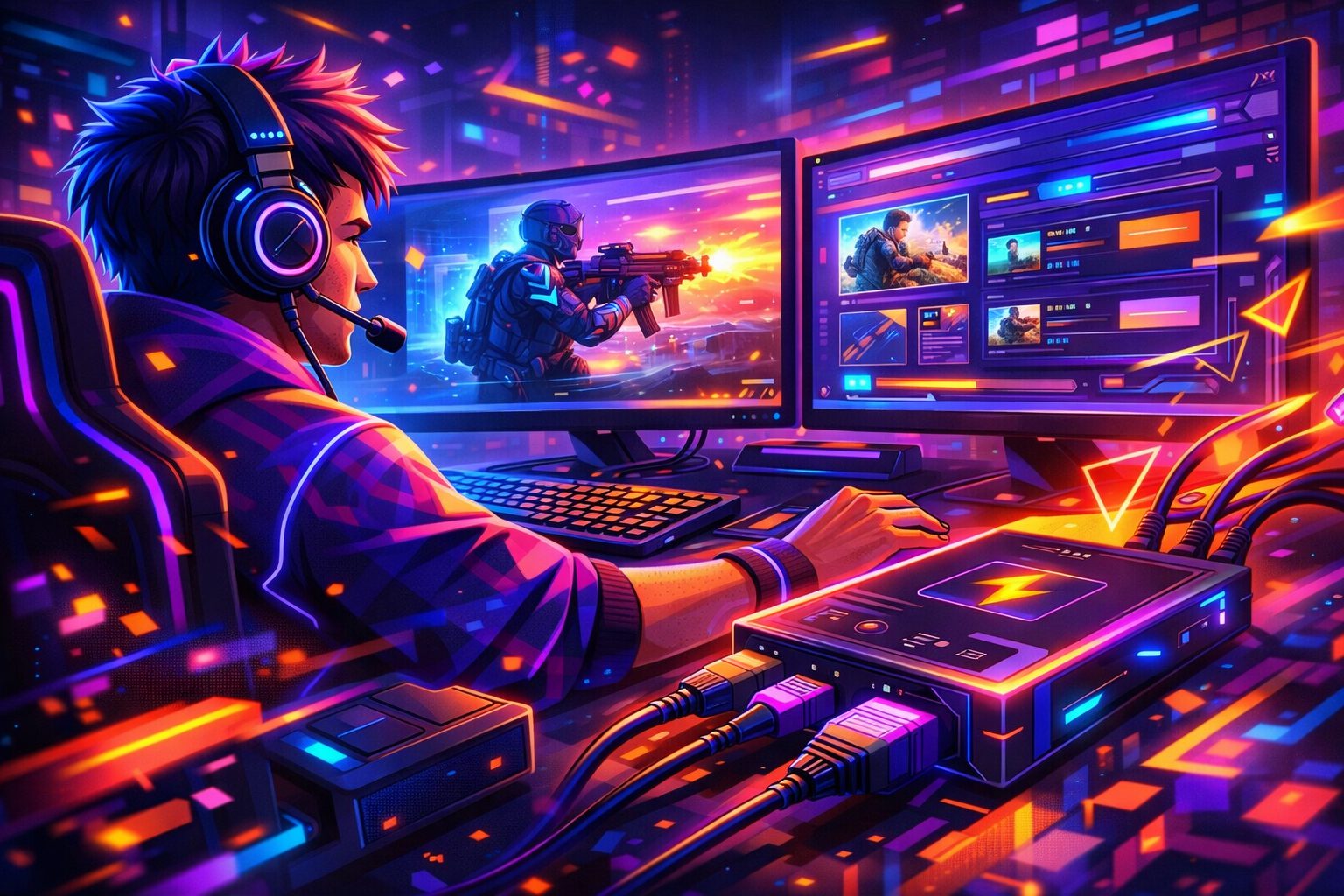
A capture card is a small device that takes a video signal from a console, camera or second computer and delivers it to your streaming PC over USB or PCIe. It also passes the same picture through to your monitor or TV with little or no added lag, so you can keep playing while OBS records or streams.
 April 30, 2026
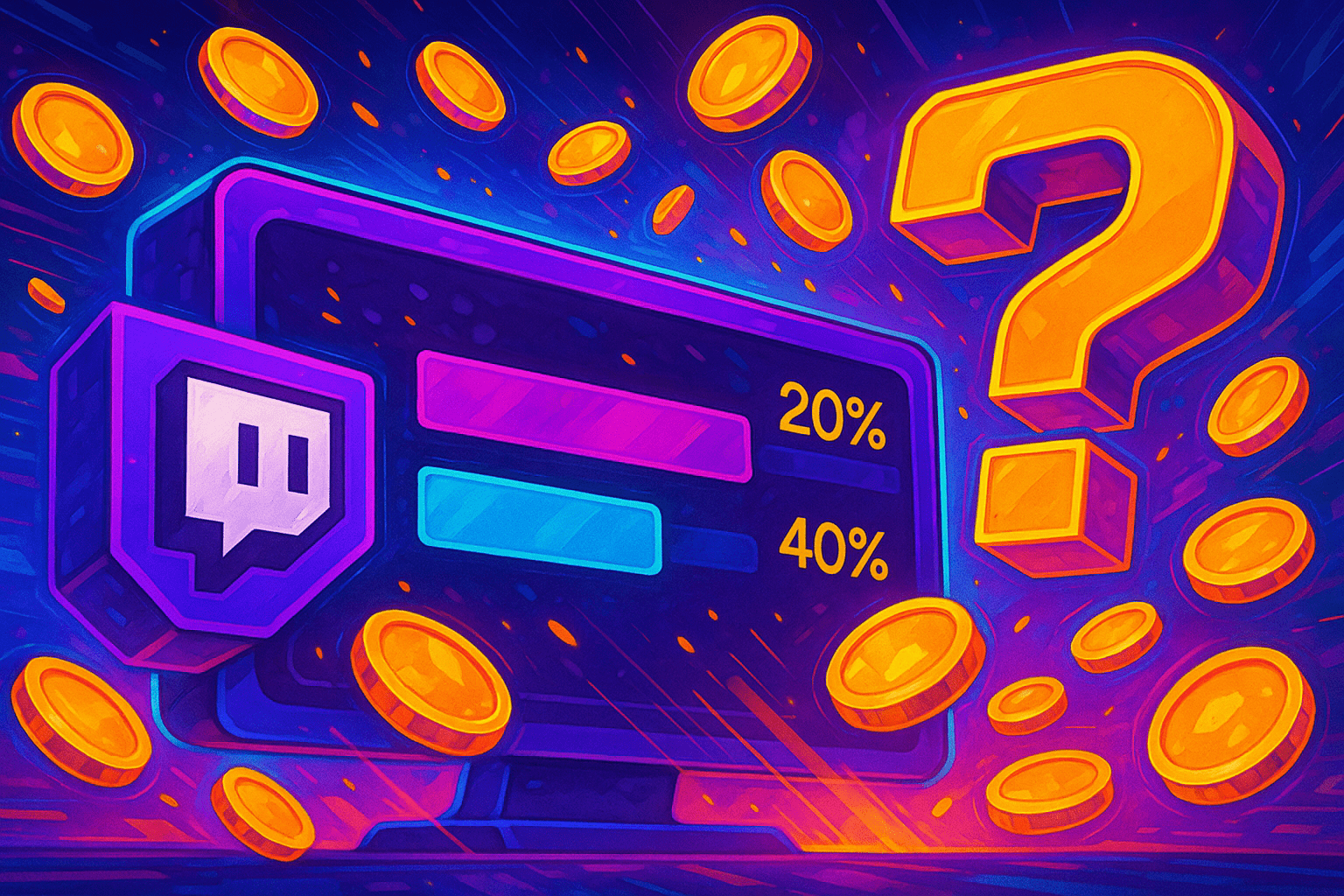
Quick frame, before the rules section. Twitch predictions live inside Channel Points: viewers stake points on a coming in-stream event, the streamer calls the result, the winners split the pool. Predictions shipped December 12, 2020 — binary outcomes only at first. June 2, 2022 the cap got bumped to ten. This page covers the rules, the timer, the point ranges, the moderator carve-outs, the cancel-vs-refund flow, plus a clean walkthrough. Numbers below — checked against Twitch's help portal and the Helix dev docs as of 2026.
 April 30, 2026
Stream Health is the panel inside Stream Manager that grades your live broadcast in real time. It shows bitrate stability, FPS, dropped frames, and ingest ping, and it tells you, in plain numbers, why a viewer sees buffering. If you can read it, you can fix most quality issues during the same stream. For the full panel walkthrough, see our <a href="/blog/stream-manager">Stream Manager guide</a>.
 April 30, 2026
For most streamers in 2026, the right pick is a 27-inch 1440p IPS at 144-180 Hz. And console streamers need HDMI 2.1 for 4K120 — competitive players step up to a 240 Hz QD-OLED.
 April 30, 2026
A second monitor is the cheapest workflow upgrade most streamers ever make. The first monitor runs the game. The second carries chat, OBS, alerts, Discord, and the rest of the production stack. This guide covers exactly what to buy, what to skip, and how to wire it in. It is written for streamers in three buckets:
 April 30, 2026
Viewers forgive a soft webcam picture. They do not forgive bad audio. If your voice hisses, wrestles a CPU fan, or fades under game audio, the typical chat closes the tab in under twenty seconds. Picking the right streaming mic is less about specs and more about retention math: every minute of clean voice is a minute a viewer stays.
 April 30, 2026
Three seconds. That's how long a Twitch directory passerby gives your face before the tab closes. Soft? Washed out? Hunting for focus? Done. Here is the thing — so choosing a webcam in 2026 isn't really about chasing 4K stickers on the box. And the camera's auto-everything stack to the actual lamp you sit under — it's about matching one sensor, one lens.
 April 30, 2026
A clean voice on a stream is the difference between a 90-minute average view duration and a chat that bounces in 3 minutes. OBS Studio ships with everything you need to get there, but the defaults are wrong for almost every microphone, and a bad filter order can make a $300 condenser sound worse than a $35 USB mic. This guide walks through the whole signal chain end to end, with the dB values and filter order most streamers actually use in 2026.
 April 30, 2026
Echo on a Twitch stream almost never comes from the room. It comes from the same audio reaching the encoder twice with a small delay. Most of the time the cause is one OBS setting flipped the wrong way: Audio Monitoring is set to Monitor and Output on a source whose sound is already getting captured somewhere else. The fix takes about two minutes if you know where to look. This guide walks through every common echo path in OBS in 2026, what each one sounds like in chat, and the menu clicks that close the loop for good.
 April 30, 2026
Twitch lifted its simulcasting ban back in October 2023, and the platform stopped penalising combined chat overlays in February 2026. Affiliates and Partners can now stream to YouTube, Kick, Facebook and TikTok at the same time as Twitch, with three live conditions: keep Twitch chat in view, don't link out to other platforms during the broadcast, and keep your Twitch quality on par with the others. The piece below is half setup tutorial, half buying guide. We compare the cloud relay route (Restream.io, StreamYard, Castr) against the local route (OBS multi-RTMP, Aitum, Streamlabs Multistream), price each one against current 2026 plans, work out how much upload bandwidth you actually need, and answer the questions readers keep asking on Reddit, Quora and the OBS forum. Skip to the section that matches the route you already lean towards, or read top to bottom if you're starting fresh.
 April 30, 2026
Chroma key in OBS Studio drops a solid colour from your camera and lets gameplay, an overlay, or a custom backdrop sit in that space. Set it up well and a small home corner reads close to a studio. Set it up lazily and you get green halos, missing hair, and a flickering silhouette that pulls every viewer's eye away from the actual stream.
 April 30, 2026
Game Capture in OBS Studio pulls the picture straight from your game's render pipeline, so you stream just the gameplay with no desktop, no Discord pop-ups, and no battery overlay leaking on stream. It is the lightest of the three OBS capture options on Windows, but it is also the one most likely to break with anti-cheat, multi-GPU laptops, or fullscreen edge cases. This guide walks the full setup, when to switch to Window Capture or Display Capture, and how to fix black-screen issues on Twitch and Kick streams in 2026.
 April 30, 2026
A webcam in OBS Studio lives or dies on three settings nobody tells you about on day one: Resolution Type, Video Format, and the order of your filters. Get those right and a $70 webcam looks closer to a Sony ZV-1F. Get them wrong and a $300 Logitech MX Brio still ships washed-out skin and stutter at 60 fps. This guide walks the full path from the Sources panel through the filter chain, with the exact menu paths and the troubleshooting moves that actually fix black screens and mid-stream disconnects.
April 30, 2026Kick switched on its public API in 2024. Hit feature parity with most of Twitch Helix during 2025. Auth layer is OAuth 2.1 with PKCE on every grant, hosted on id.kick.com, gated behind a free Developer Portal app. Mechanics are standards-compliant. Surprises sit in the small print. PKCE is required even when you ship a client_secret. Webhooks are the only push transport so far. Refresh tokens come back on every exchange. Scope names sit close to Twitch but rarely match one to one. This guide walks the full integration end to end with quoted spec text, real endpoint URLs, copy-paste request bodies, and the common failure modes.
 April 30, 2026
Local recording is a second copy of your broadcast saved straight to your own disk while the stream is live. Here is the thing — Twitch keeps VODs for 14 days for Affiliates and 60 days for Partners, Prime and Turbo, then deletes them. A local file outlives that window, sits at a higher bitrate than Twitch will ever ingest. Does not depend on the platform's autosave finishing cleanly. This guide walks through the OBS Output panel, Replay Buffer, MKV crash-safety, dual-encoder settings and the disk math you need before you hit Start Recording.
 April 30, 2026
You add Game Capture in OBS Studio, the source attaches, but the preview stays black. Audio works. Recording works. The only thing missing is the picture viewers came for. Nine times out of ten the cause is one of three things: a GPU mismatch on a hybrid laptop, an admin-rights mismatch between OBS and the game, or a stale hook left over from a crashed session. The rest of this guide walks every fix in priority order, with the exact paths in Windows 11 24H2.
 April 30, 2026
Picking software is a 60-second decision once you know your budget and your CPU headroom. Below sits a quick verdict, a full comparison table, then a tool-by-tool breakdown with verified 2026 pricing and Twitch-specific notes.
 April 30, 2026
You want to go live tonight. Not spend a weekend reading docs. So which tool actually fits: Streamlabs Desktop, the friendlier all-in-one that ships with alerts. OBS Studio, the open-source workhorse that 60-70% of top Twitch streamers rely on? Both can stream 1080p60 to Twitch, Kick, YouTube. The difference shows up in CPU load, recovery from crashes, the cost of overlays, and how much patience you've for setup screens.
 April 30, 2026
Four desktop browsers. Two latest stable versions of each. Plus the iOS and Android apps for mobile — that's the whole official Twitch support matrix for 2026 — Chrome, Firefox, Edge, Safari. Everything else (Opera, Vivaldi, Brave, Yandex Browser, Tor and the rest) sits somewhere in the grey zone. Pages load most of the time. Random features break in ways nobody predicts. So this guide separates what Twitch backs on paper from what works in practice, and walks through the unsupported-browser error in steps you can copy.
April 30, 2026Twitch publishes a tight list of encoder rules. Hit them and your stream looks clean for every viewer. Miss any and your bitrate is auto-capped, your audio gets re-encoded, or the ingest server drops your connection mid-broadcast. This page is a working reference, updated for the 2026 Enhanced Broadcasting tiers.
 April 30, 2026
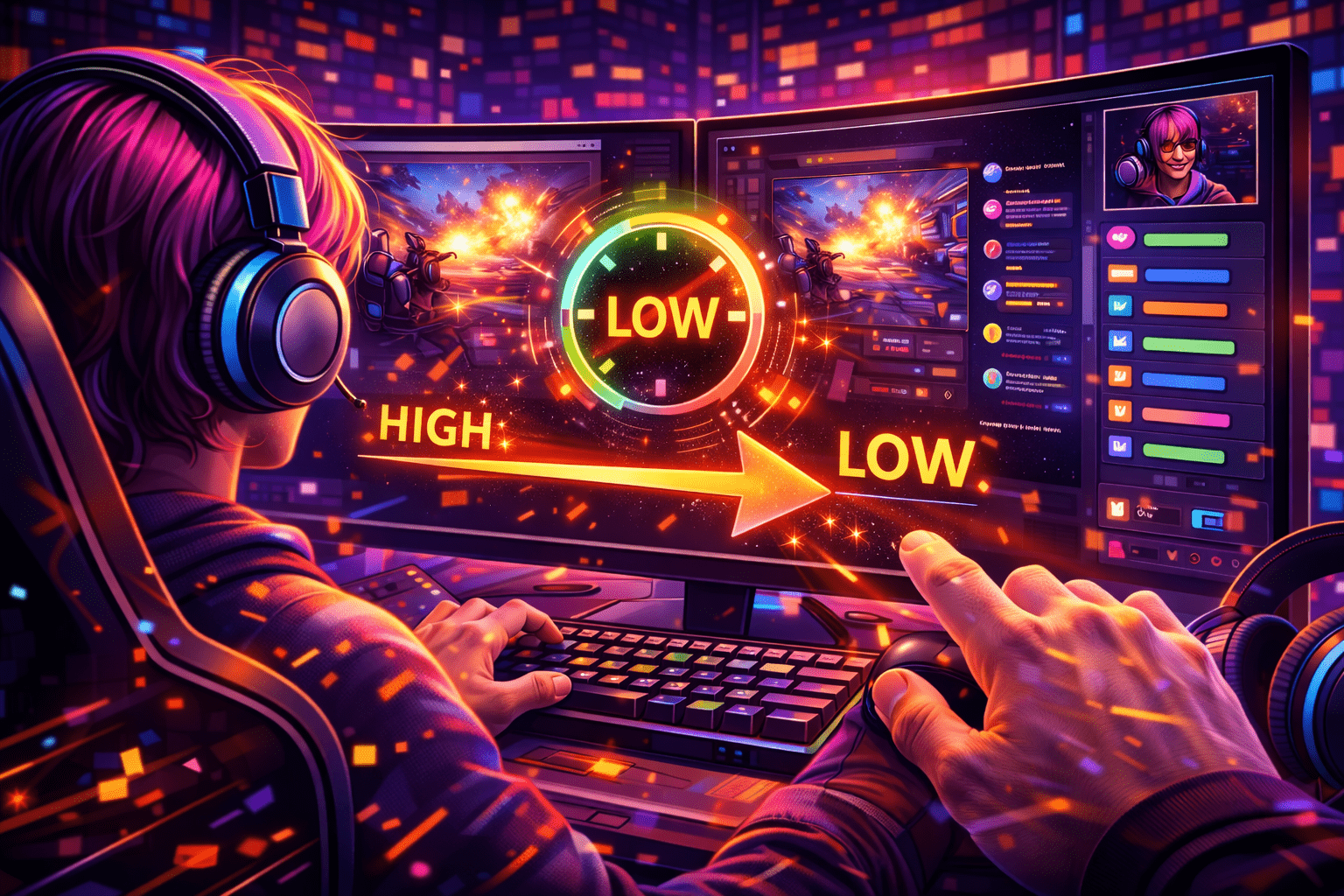
Twitch Low Latency mode is a Creator Dashboard setting that drops the delay between your camera and the viewer's player from 10-15 seconds in Normal mode to about 2-4 seconds. It has been the platform default since 2018, and for any channel that talks to chat in real time it is the right choice. The trade-off is a smaller player buffer, which means viewers on weak Wi-Fi may stutter more often.
April 30, 2026Most "my stream won't connect" tickets on r/Twitch and the OBS forums trace back to one piece of text: the Primary Stream Key. It is the credential that proves your encoder is allowed to push video to your channel. Get it wrong by one character and OBS hangs on "Connecting…". Show it on camera by accident and a stranger can broadcast as you within seconds.
 April 29, 2026
A lavalier mic is a small capsule that clips to your clothing and captures your voice from a few inches away. It works on the principle of short distance: the closer the capsule sits to your mouth, the cleaner and more consistent the signal becomes. That single fact is why even a $40 lav often sounds more predictable on a Twitch stream than a budget desktop mic sitting two feet from your face.
 April 29, 2026
A well-organized streaming room isn't just a pretty backdrop behind your shoulders. It's a workspace. And the quality of your broadcasts depends on it directly. Genuinely interesting content sheds viewers when the frame is dim, the voice rings off bare walls. The room itself looks like it was assembled by accident the night before going live.
 April 29, 2026
Here's the consistent pattern: a Logitech C920 looks like a $40 webcam until lighting changes, and no hardware swap closes the gap on its own. Even a Sony ZV-1 can't fix a face parked in a shadow. Bad light bakes grain into the skin, shifts the tone three degrees too orange, and crushes the detail the encoder needed to keep. The Twitch preview ends up looking worse than the actual room does at 2 a.m. Numbers matter.
 April 29, 2026
Picture quality on a stream depends less on the camera and more on how the light is built around your face. Even a pricey mirrorless body can't fix bad lighting, because the image is shaped before the sensor ever sees the signal. When light is weak or pointed wrong, the camera bumps up its gain to compensate, and that is exactly when the noise crawls in, detail collapses, and the whole frame goes mushy.