
Twitch Hype Train: Complete Guide
February 25, 2026
Updated February 25, 2026
When a channel's community unites to support a streamer — through subscriptions, gift subscriptions, cheer messages, or bits — and enough of these support actions happen within a short period, the Hype Train mechanism activates. It's a group surge of support that turns into an event with levels, a shared progress bar, and rewards. In the context of Twitch, an activity spike becomes a Hype Train: the community shows its strength, the channel gets a visibility boost, and viewers participate together, creating social proof.

What Is a Hype Train
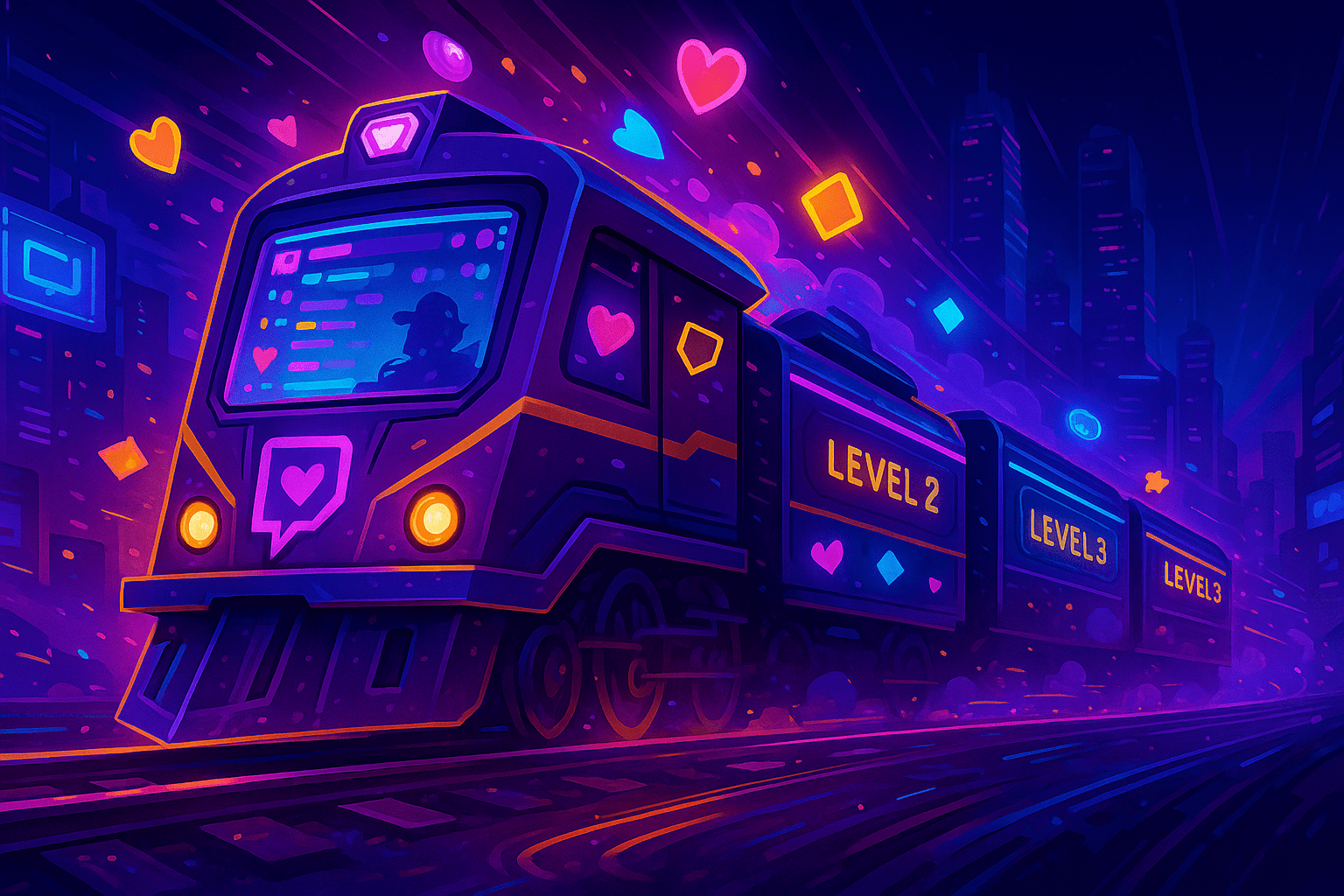
Hype Train is a collaborative support event that encourages viewers to support the streamer collectively, turning chaotic donations and subscriptions into a large-scale event. This format maintains motivation, strengthens the sense of community, and helps the channel grow — in terms of activity, retention, and trust from new users.
Regular subscriptions or bits are good. But Hype Train turns it into a game, an event, and motivates people to act together. That's why launching a Hype Train is one of the best tools if you want to strengthen your community and increase engagement.
How Twitch Hype Train Works
The mechanics are simple but flexible. Here's how it all works:
A Hype Train launches when several support events occur within a short time period: subscriptions, gift subscriptions, or the use of bits via cheer messages.
Important condition: these events must come from different people — one person cannot trigger the entire chain.
The streamer (if they are an affiliate or partner) can set the minimum threshold — how many events are needed to launch a Hype Train. Usually this ranges from 3 to 25 events.
When the threshold is reached, a visual element appears — the hype-o-meter, a timer starts, and a window begins where users can continue contributing (bits, subs, gifts) to fill the progress bar.
If the goal is reached within the allotted time — the Hype Train advances to the next level; the timer resets and the goal becomes harder.
If the contribution isn't reached — the Hype Train ends, without an emoji reward and without advancing to the next level.
After completion, there's always a cooldown period before a new Hype Train can be launched. This is a setting the streamer configures themselves.
In summary: a Hype Train is a collective push of support, the mechanics of which are controlled by channel settings, turning scattered donations/subscriptions into a structured event.
The Hype Train launch mechanics activate when the chat simultaneously generates multiple types of support, including bits and any cheer message sent by participants. It's precisely at these moments that the Twitch hype-o-meter grows especially fast, and users can see instant changes to the current level. When viewers receive an invitation to participate, they can react faster, as each supporter's contribution increases the chance that the event will grow into a new stage. If the threshold value is reached, the Hype Train launch happens automatically, and all participants will receive a unique emote. Streamers often use settings in the panel where they can specify the parameters tab and adjust companion parameters so the event works predictably. This approach significantly increases engagement and makes the channel more active.
Hype Train Levels: From Start to Maximum
The Hype Train has a multi-level structure that progressively becomes more challenging. Here's how the progression works:
At launch, a threshold value is set — for example, 5 support actions within 5 minutes. Once it's met — Level 1 begins.
Each level has a goal — fill the hype-o-meter by collecting another batch of subscriptions, bits, cheer messages, or gift subscriptions. If the goal is reached — the next level begins.
Each subsequent level requires a greater contribution — either more subscriptions, more bits, or a combination of different events on the channel.
If viewers don't complete the current level in time — the Hype Train ends.
The ending is followed by the start of a cooldown period, and a new Hype Train launch is only possible after it completes.
Escalation makes the task harder, creates excitement, and motivates the chat to act more actively. At higher levels, significantly more support is required, making the event impressive.
With each new level, the system changes coefficients affecting the progress bar's rise, and launching a Hype Train becomes more difficult as more bits are required. Each level provides a chance to get another emote, and they often come in different colors or rare variants, including the legendary golden Kappa, which is considered one of the most prestigious rewards. As the event progresses, the streamer can use visual elements to enhance the event's perception. Updating the hype-o-meter on screen helps the chat understand how much is left until the threshold value, and many participants voluntarily send cheer messages to push the event to the next stage. If the window is almost closing, the chat can literally explode with support to reach the maximum.
What Does a Hype Train Give on Twitch
Launching a Hype Train on Twitch benefits both viewers and the channel.
For viewers:
- Participants receive an exclusive emote or multiple emotes if the Hype Train is completed successfully.
- Each event participant enters the 'Hype Train participants' list.
- Active users can earn the 'Hype Train conductor' status — one of the biggest contributors.
For the channel:
- Increased visibility after Hype Train launch: the activity surge increases the chance of the channel being shown to new users.
- Increased engagement: chat comes alive, participants interact more frequently.
- Social proof: if viewers see that the streamer receives a lot of support, it increases trust and desire to join.
- Ability to host giveaways or challenges tied to reaching Level 2–3.
For users, the key factor is that they receive a unique emote for each level, which can differ significantly in style. Some participants aim to collect them all, as each emote is displayed in chat and sets the owner apart from others. Additionally, participants value bonuses that may appear as rewards upon event completion. The Twitch system uses algorithms that increase chat dynamics and activity display, which is why launching a Hype Train often leads to improved channel positions in recommendations. The rare golden Kappa is especially valued, which drops upon reaching high levels — it becomes a visual symbol of the chat's collective success.
Thus, the Hype Train is a community growth tool that simultaneously entertains and strengthens the bond between viewers and the streamer.
Advanced Level Logic and How Difficulty Affects Chat Behavior
When the Hype Train reaches increasingly higher levels, viewers begin to perceive the event as a mini-game within the Twitch stream. Each new level increases the feeling of a 'race,' especially when seconds remain until the window closes and only one subscription or one cheer message is needed to fill the bar. It's precisely at this moment that the Hype Train launches with maximum engagement effect, and users begin actively writing in chat, asking for the final push, encouraging each other.
Difficulty can change depending on what parameters are set in the Hype Train section, what companion parameters the streamer uses, and how active the viewers are. The higher the difficulty — the more bits are needed, more gift subscriptions to the channel are required, and viewers must send cheer messages more often to extend the window duration and give a chance to advance to the next level.
When the streamer announces verbally that the current level is almost full — it creates a surge of activity on the channel. Even participants who rarely engage in support may decide to participate in the event. Psychologically, this works as a 'collective victory' where every contribution matters. The emote that participants will receive at the end can become the very element that convinces many to send bits through cheer messages.
The emotional dynamics when a Hype Train launch begins are amplified by users seeing how quickly the hype-o-meter grows. At this moment, the chat turns into a unified stream of messages: someone reports the current progress state, someone asks how much is needed for Level 3, someone writes motivational messages. During these minutes, it's important for the streamer to maintain pace: speak aloud, thank people, monitor the current level, explain how much remains.
How to Launch a Hype Train on Twitch: Practical Guide
If you want to launch a Hype Train on your channel stream, use this checklist:
- Open the streamer dashboard and go to the parameters tab in the monetization settings section, where the Hype Train management block is located.
- Enable the Hype Train system.
- Set the threshold value — the number of support events within a short period.
- Set the cooldown time — so the Hype Train can't launch too frequently.
- Configure companion parameters: for example, minimum contribution, difficulty, or window duration.
- Prepare visual animations, alerts, and text messages that will appear on screen.
- Explain the goal: 'Let's push to Level 1,' 'Let's try to reach Level 2,' 'Let's earn the emote.' If the chat sees that little is needed to fill the bar, even one cheer message can activate a chain reaction, encouraging other participants to continue supporting the channel.
- During the activity surge, actively interact with chat — thank people, announce progress, remind them about the current channel level.
- After completion, analyze the results — which events worked best.
Proper preparation significantly increases the chance of launching a Hype Train, even in a small chat.
With proper preparation, Hype Train launches can happen almost every stream on the channel if the threshold value is configured correctly. Additional restrictions can be added to the parameters tab, or conversely, the event can be made more accessible for a small chat. It's important to understand that bits and each cheer message are counted differently — the companion parameters setting allows distributing support weight so the event activates exactly when needed. It's also important to consider the cooldown time, as after the event ends, the Twitch system won't allow starting a new Hype Train immediately. The optimal approach is to activate a small subscription goal so viewers quickly get their first achievement and want to push the event further.
Creating Hype Train Scenarios for Different Stream Types
Every streamer on their channel can adapt the Hype Train to their content style.
For gaming streams
You can tie the event to in-game actions:
- completing a game level for each Hype Train level;
- completing a challenge when reaching a high channel level;
- opening chests or packs.
For IRL streams
Engage emotions and communication:
- streamer reactions;
- mini-stories that unfold as levels are completed;
- viewer-submitted challenges.
For creative streams
Use the Hype Train on channel as a creative stimulus:
- draw an emote for each level;
- voice donations, compose music;
- create themed work after reaching the goal.
A scenario-based approach allows using the Hype Train not just as a mechanical system, but as part of the show.
The Role of Emotes and Why Viewers Strive to Earn Them
An emote is a simple visual reward, but within the Hype Train, it holds enormous value. Upon event completion, viewers receive one of the emotes belonging to the Hype Train category. These emotes are limited by the system: they cannot be obtained any other way except by participating in the event. That's why many viewers strive to get at least one emote, and sometimes dream of collecting an entire collection.
When the channel successfully completes a level and viewers receive a rare emote, it creates positive reinforcement: participants feel that their contribution mattered, that the event ended successfully, and that they received something exclusive. Because of this, Hype Trains launch again and again — people want to collect more. And when a rare golden Kappa appears in chat, the atmosphere immediately heats up, and viewers begin participating more actively in the event.
For the streamer, this means emotes can be used as part of a growth strategy:
- mention which emote participants and channel subscribers can get;
- build interest with phrases like 'if we close the level in time — everyone gets an emote';
- show the rewards collection: emotes and golden Kappas, and motivate viewers to collect the same.
The emote plays the role of a reward and mini-achievement, making support events more emotionally significant.
Best Practices for Maximizing Hype Train
To make Hype Trains launch more often and reach more levels:
- Launch Hype Trains during peak viewership moments.
- Set a balanced threshold value.
- Add gamification: 'If we reach Level 3 — we'll do a game giveaway.'
- Use visual notifications, progress bars, and voice calls to action.
- Involve moderators — they can hype up the chat, repeat CTAs, remind about progress status.
- Try to make events rare and celebratory — viewers respond more emotionally this way.
The key is to create an atmosphere of collective action.
At higher levels, Hype Train launches may require significant effort from viewers, so it's important to maintain visual rhythm: the hype-o-meter should be visible to every participant. If viewers can clearly see how much is left until the next level, they'll more often send bits or even create multiple cheer messages in a row to speed up the process. Chat reacts more strongly when participants know they'll receive a rare reward or emote of a particular category. On some streams, the appearance of the golden Kappa is especially anticipated, perceived as a symbol of maximum achievement. When the atmosphere reaches its peak, the streamer can personally announce how close the event is to transition, and this can cause a powerful surge of activity.
How to Use Companion Parameters for Fine-Tuning the Hype Train
In the Hype Train section, there's a parameters tab where the streamer can finely tune all mechanics. Companion parameters allow you to define:
- what minimum value is needed for launch;
- what contribution should be at each level;
- how difficulty will change;
- which viewers can participate;
- whether bits below a certain amount can be used;
- which gift subscriptions count;
- what the cooldown time will be.
Proper configuration determines whether the Hype Train will be accessible for a small chat or become a rare and challenging event designed only for a wealthy community.
If the goal is to launch a Hype Train at least once per stream, the minimum value should be set low. But if you want the event to remain unique, you can increase difficulty and set additional restrictions.
Companion parameters are useful when the streamer wants to control chat behavior. For example:
- if viewers love bits — you can lower the minimum amount for cheer messages;
- if the audience prefers gift subscriptions — increase their contribution to progress;
- if the chat is large — increase difficulty so the Hype Train doesn't end too quickly;
- if the streamer wants to extend the event — increase the level duration.
Fine-tuning makes the Hype Train a predictable and manageable content element.
Hype Train's Impact on Channel Growth and Chat Social Dynamics
Each Hype Train launch affects the channel comprehensively, and the effect persists even after the event ends. When viewers act together, they begin to feel a sense of belonging to the community. This social cohesion increases the likelihood that viewers will:
- stay in chat longer;
- participate more actively in discussions;
- take on roles as moderators or regular participants;
- support the streamer outside of Hype Trains;
- share the channel with friends;
- return for future streams.
Moreover, when a Hype Train launch begins, Twitch increases the channel's visibility in recommendations. The higher the level — the stronger the signal that the channel is active. Even if the Hype Train wasn't fully completed, the very fact that viewers are supporting the channel affects the algorithms.
The streamer can use the Hype Train as part of a long-term strategy:
- hold events on days when the audience is at its maximum;
- announce major Level 3–5 events;
- use the Hype Train to complete donation goals;
- create 'hype days' where the goal is to collect rare emotes;
- host marathons where the Hype Train level affects stream duration.
Thus, the event becomes a retention and engagement tool that works not only in the moment but also in the long term.
How Moderators Enhance the Hype Train Effect
Moderators are crucial participants who can strengthen or weaken the event's dynamics. The streamer can assign moderators a number of functions:
- remind viewers about the current level;
- ensure the chat doesn't lose momentum;
- explain event rules to new viewers;
- pin messages indicating the remaining support amount;
- activate pre-prepared bot commands;
- build interest with various phrases.
When moderators are actively involved, events become more organized. Chat responds faster, viewers better understand the process, and Hype Trains launch more often.
Frequently Asked Questions (FAQ)
It's an event activated during group activity: subscriptions, bits, gift subscriptions.
It turns support into a group goal and gives rewards to viewers.
Set a low threshold and prepare the chat for the goal in advance.
Not enough support events or the cooldown is still active.
Emotes, emotions, engagement, a feeling of event participation.
Only after the cooldown period ends.
Pre-Stream Checklist
- Hype Train is enabled.
- Threshold value and cooldown time are configured.
- Alerts, graphics, and scenes are ready.
- Moderators know the scenario.
- Chat commands are set up.
- Incentive for reaching Level 2–3 is prepared.
Conclusion
The Hype Train is one of the most powerful growth tools on Twitch. It simultaneously increases engagement, gives viewers vivid emotions, helps the channel stand out, and develops the community. Proper configuration, clear goals, and emotional delivery turn the Hype Train into a dynamic group event that can multiply activity and viewer retention.
Remember that every subscription, every cheer message, and every viewer contribution can form a collective impulse that leads to the next level. Participants receive not only visual emote rewards but also an emotional sense of collective success. With consistent activity, the channel grows faster, and Hype Train launches can become a regular part of content. By properly using the parameters tab, the streamer can manage the pace of development in the Hype Train section and create unique scenarios for each broadcast. Even small chats can reach high levels if participant motivation is maintained properly.

