# What is a Hype Train on Twitch?
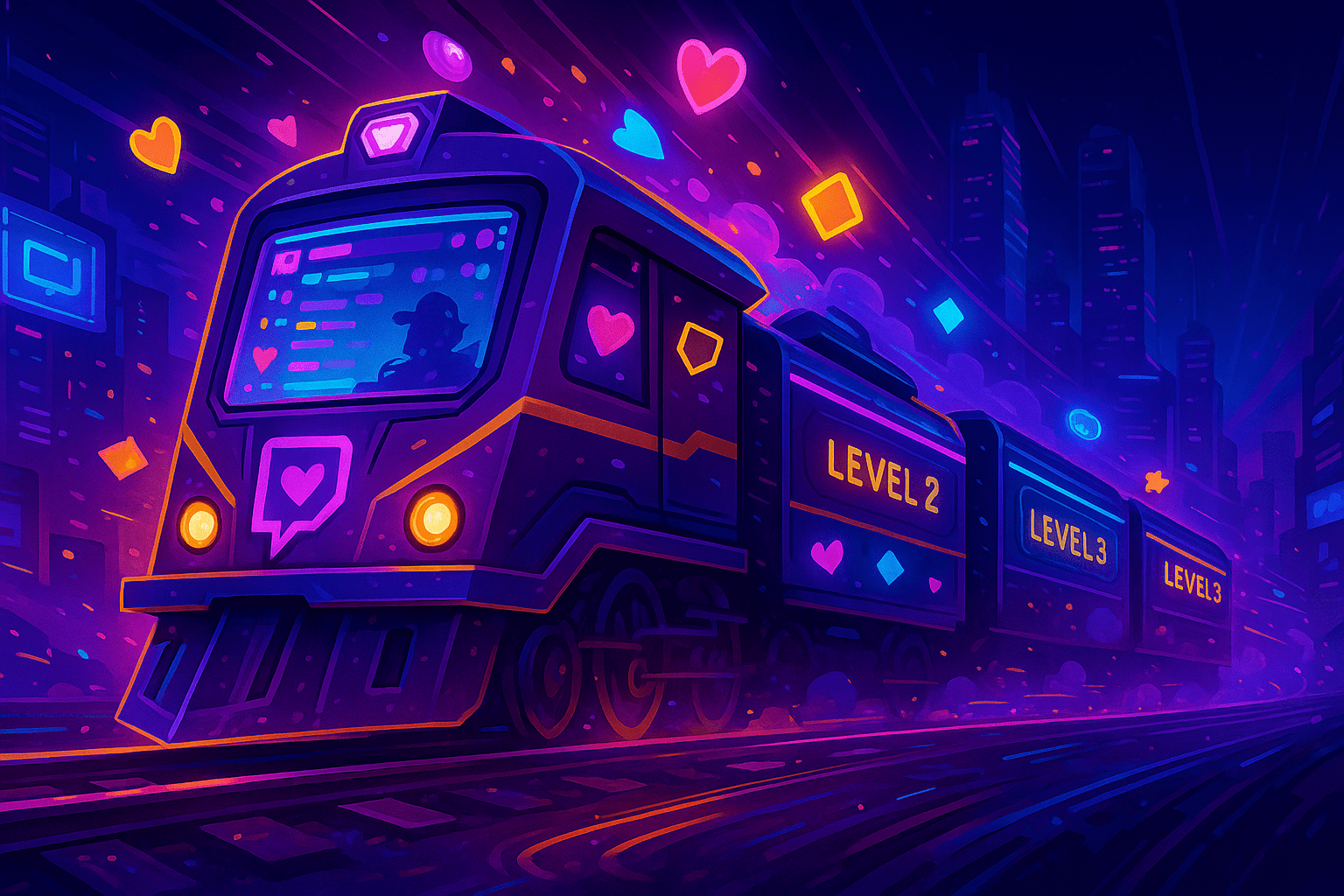
A Hype Train is a temporary celebration event built into the Twitch dashboard. It begins the moment a channel hits a small support quota in a five-minute window, then dares the chat to keep stacking subs and bit-cheers fast enough to climb additional levels before the timer runs out.
Here is the short version. Several different users have to chip in inside that opening window. A meter appears on stream. Each new contribution at a higher level adds one extra minute. When chat misses a level, the train stops and a cooldown locks the next one for one hour.
Hype Trains are available to Affiliate-tier channels and above. Partners get the same feature with no extra perks attached. Contributions count differently: subs and bit-cheers carry more weight than channel points or other passive support. Our Twitch subscription tiers breakdown and the cheering-with-bits walkthrough cover the contributions that move the meter.
# What is a Hype Train on Twitch?
Twitch ships Hype Trains as a community-engagement feature for Affiliate and Partner channels. The point is to turn scattered subs and bit-cheers into a visible, shared milestone that everybody in chat watches together. Once the bar appears, the room behaves differently. Lurkers wake up. Mods pin progress. The streamer drops whatever bit they were doing and starts narrating the climb.
Mechanically the feature has three moving parts. There is a qualifying period at the start, a per-level filling bar afterwards, and a cooldown clock that begins the second the train ends. Each part is configurable from the streamer dashboard, with sensible defaults that work even on a 20-viewer channel.
Hype Trains stack rewards. Anyone who contributes gets temporary emotes that only exist while the train is alive. The two highest contributors, by sub volume and by bit volume, lock in conductor badges that stay visible in chat for a full week. So a five-minute event leaves a multi-day trail of social proof in the room.
One useful frame: a Hype Train is the only Twitch native feature where the audience itself is the trigger. The streamer cannot manually fire it, cannot bypass the threshold, cannot skip the cooldown. That asymmetry is what makes the format land emotionally. Chat owns the outcome, not the host.
# How does a Hype Train work? Triggers, timer, threshold
The activation logic is strict. A Hype Train starts only when contributions from at least two unique users hit the channel's point threshold inside five minutes. If one whale drops $50 in bits alone, nothing happens. Twitch wants a group event, not a solo gift run.
What counts as a contribution
- Tier 1, 2 and 3 paid subs (recurring or one-time gifts).
- Gift subs to specific users or community-bombs.
- Bit-cheers (any amount, but small cheers contribute proportionally less).
- Resubs, including those announced via shared sub messages.
Once the threshold is crossed, level 1 starts and the on-screen meter goes live. Each level has its own cumulative point goal. Hit the goal before the level timer ends and the train climbs. Miss it and the train collapses immediately.
Default level duration is five minutes. Every fresh contribution that arrives after the level ticks over adds one extra minute to the clock, capped so the train cannot live forever. This is why pacing matters: a steady stream of small subs keeps the timer breathing, while a single huge gift bomb burns through the bar without buying time.
The threshold itself is point-based, not action-based. Twitch assigns each contribution type a hidden point value, then sums them. Streamers do not see the raw values, but they can adjust the difficulty curve from easy to hard inside the Hype Train settings panel. We will get to those controls shortly.
Twitch's official help page on Hype Trains documents the participation requirement and the per-level timer. Anyone can read the canonical rules at help.twitch.tv. The figures we cite here match the April 2024 settings overhaul.
# Twitch Hype Train levels and how long they last
Most Hype Trains live and die between levels 1 and 5. That range is the design sweet spot: thresholds escalate, the bar gets wider, and chat needs more sustained input each step. Level 5 is the canonical 'we made it' moment for mid-size channels because the unlock at the top is the most coveted emote in the set.
Standard level structure
- Level 1: 5-minute window, lowest threshold, unlocks the first temporary emote.
- Level 2: threshold roughly doubles; new emote variant added.
- Level 3: threshold scales again; chat usually starts asking for level goals.
- Level 4: harder, but achievable on engaged channels with active sub gifters.
- Level 5: 'crown' tier; on average channels this is the practical ceiling.
Levels 6 through 100 exist in code, but you will only ever see them on top-tier channels. Kai Cenat famously hit level 100 during a subathon, and xQc hits level 6+ on a routine basis. For channels under a few thousand concurrent viewers, level 6 is rare and level 7 is news-worthy.
Each level inherits the previous timer plus the +1 minute bonus per qualifying contribution. So a hot level 4 train sometimes runs nine or ten minutes before the bar resolves. The streamer sees the current timer, the level number, and the contribution feed in the dashboard's Hype Train widget.
If the goal is unmet when the timer hits zero, the train ends at the highest cleared level. The conductor badges lock to the two top supporters at the moment of collapse. Emotes already unlocked stay usable for the duration of the post-train window, which is currently five days for participants.
# Hype Train rewards: emotes, badges, conductors
Rewards split into three buckets. Participants get emotes. Top contributors get conductor badges. Streamers get an algorithmic visibility nudge plus a post-event activity tail that lifts retention for the rest of the broadcast.
What viewers earn
- A set of temporary Hype Train emotes, escalating in style with each cleared level.
- Channel-specific conductor badge if you finish as the top sub gifter or top bit cheerer.
- Visibility in the participants list, which the streamer often shouts out on stream.
- Five days of usable Hype Train emotes after the event, then they expire.
What streamers earn
- A measurable bump in directory placement during the active train (Twitch boosts hot channels in recommendations).
- Sticky chat activity for the rest of the stream because the room mood shifts.
- A natural goal-setting hook for follow-up content, like 'we will repay every level 5 with a Q&A at the end'.
- Reusable replay clips, since Hype Trains tend to produce the loudest stream moments.
Conductor badges deserve a callout. Twitch awards two slots: top sub conductor and top bit conductor. Both badges show up next to the user's name in chat for the next seven days, on that channel only. Regulars treat them as social currency, and viewers do strategic cheering specifically to lock the badge before the train ends.
If you are still building toward Affiliate, our breakdown of the Twitch Affiliate program explains the requirements and how Hype Trains unlock the moment you cross the threshold.
# Treasure Train mode (May 2025 update) explained
Twitch added Treasure Train as an opt-in mode in May 2025. It runs on the same trigger logic as a standard Hype Train but swaps fixed emote rewards for a randomized prize pool. The streamer toggles it on from the Hype Train settings panel and picks the reward bundles that sit inside the loot table.
Treasure Train rewards include limited emotes, sub gift bonuses for the streamer, and bonus channel badges. The randomization gives the format a slot-machine feel that can keep chat invested past the point where a normal train would have collapsed. Several growing channels in the 200 to 1,000 CCV range now run Treasure Train as their default because the variable rewards out-pull predictable ones.
There is one practical catch. Treasure Train requires the streamer to stock the reward pool, and some bundles cost Twitch credits. Smaller channels often launch with the free defaults and upgrade once a channel pulls in steady sub revenue. If you want to test the format without spending, leave it on free defaults for the first few sessions.
Standard and Treasure modes are mutually exclusive on a single train. You pick one in advance. There is no mid-train mode swap.
# Hype Train cooldown and the 1-hour rule
Twitch shortened the default Hype Train cooldown to one hour back in 2023. Before that change the gap was two hours, and you can still find old StreamScheme and Streamer.fyi guides quoting the older value. The current standard is sixty minutes between trains.
The cooldown clock starts the second a train ends, whether it ended at level 1 or level 5. Streamers can extend cooldown via the difficulty setting, but they cannot shorten it below sixty minutes. That floor is platform-side and not negotiable.
Practical implication for stream pacing: on a four-hour broadcast, a perfectly engaged room can fit at most four Hype Trains. Two to three is the realistic target for most affiliates. Plan content beats around that cadence rather than hoping for back-to-back trains.
If a train ends in the last fifteen minutes of your broadcast, the cooldown carries into the next stream. The clock is wall-clock based, not session-based. So a hard ending right before the cooldown elapses means your next stream starts with the train already eligible.
# How to start a Hype Train on your own channel
You cannot manually fire a Hype Train. The trigger is community-side. What you can do is set up the conditions that make activation likely and then choreograph chat through the climb. Here is the operating playbook we use when consulting channels in the 50 to 500 CCV range.
- Open the Creator Dashboard, go to Settings, then Affiliate or Partner, and find the Hype Train tab.
- Confirm that Hype Trains are enabled. If you are a freshly minted Affiliate, this toggle defaults to on.
- Pick a difficulty preset. Easy is right for sub-100 CCV channels. Medium is right for 200 to 1,000 CCV. Hard is for established Partners.
- Choose between standard Hype Train and Treasure Train mode based on your reward strategy.
- Decide whether to enable additional notifications and overlays in OBS via your alert tool of choice.
- Pre-write three to five chat commands your mods can fire when a train starts: progress recap, level goal, thank-you template.
- Tell your audience the cooldown rule in advance: 'one train per hour, so jump in early if you want the conductor badge'.
- When activity spikes, narrate the climb live. Call out gifters by name. Announce the level goal in plain numbers, not vague phrasing.
- After the train, debrief on stream. Which level did you hit? Who got the conductor badges? Use it as the bridge to your next content beat.
The single biggest lever is concurrent viewers at the moment of activation. A Hype Train that fires at peak viewership clears more levels than one that fires during a dip. Channels that schedule sub gift drops during peak windows convert the most reliably. If you need that extra concurrent base, our Twitch viewer service is a soft option to explore at /buy-twitch-viewers, but most of the work is upstream of any third-party help: it is your content cadence.
# How to start a Hype Train as a viewer
From the viewer side, a Hype Train is a coordination problem. You cannot fire it alone, and the streamer cannot fire it for you. What works is rallying two or three other regulars in the same five-minute window and committing to a sub or a bit-cheer at roughly the same time.
Tactics that actually work on small channels:
- Drop a five-gift in chat and call out for a second gifter. Sub bombs are the fastest path to the threshold.
- Stack 100 to 500 bit cheers from two or three users in tight succession.
- Time it for a narrative beat, like a boss fight start or a milestone announcement, so the streamer rides the wave.
- Use a custom cheermote message to tag the attempt. It signals intent to other regulars without spelling it out.
If the room is small, three engaged regulars are usually enough on Easy difficulty. On Medium difficulty you typically need five or more contributions to clear the start window. Streamers who set difficulty to Hard while running a 100-CCV channel will rarely see trains, no matter how loud chat gets.
One more thing. The conductor badge is a winner-takes-all reward. If you want it, plan the cheer pattern: a single big bit cheer near the end of the train often beats a series of small ones, because the leaderboard reads cumulative points and the late surge tips the ranking.
# Configure thresholds, difficulty and notifications
The Hype Train settings panel sits inside the Creator Dashboard under Settings, on the Affiliate or Partner page. The April 2024 update made every threshold configurable from one tab. Older guides reference a separate Hype Train app, which Twitch retired during that update. Ignore those screenshots.
Settings you control directly
- Difficulty preset (Easy, Medium, Hard): sets the point threshold curve across all levels.
- Cooldown override: extends the gap beyond the 1-hour minimum.
- Treasure Train toggle: picks reward mode for upcoming trains.
- Notifications visibility: enable or hide the on-stream banner during a train.
- Participation messaging: the chat message Twitch posts when each level clears.
- Allowed contribution types: by default everything counts, but you can narrow it to subs only or cheers only.
If you are unsure which difficulty to pick, default to Easy for the first month after Affiliate, then promote to Medium once you see consistent level 3 clears. Hard is for channels that already pull two trains per stream on Medium and want them to feel rare again.
Channel point integration is separate from Hype Train settings. Channel points cannot fund a Hype Train directly. If you want a deeper rewards structure tied to channel points, our viewer-side channel points guide covers what they can and cannot do alongside Hype Trains.
# Why level 6+ Hype Trains are rare
Twitch designed level 6 onward as the 'top-tier moment'. The point thresholds keep doubling. Past level 5, each new level wants the equivalent of dozens of T1 subs or thousands of bits in roughly six minutes of wall time. That math is brutal for any channel under 5,000 CCV.
When a top streamer hits level 6, the bar is fed by sub gift bombs of 50 or 100 from multiple users. Level 7 typically needs at least one 100-gift bomb during the level window. By level 10, the bar effectively requires coordinated whale activity across the room.
Levels above 25 are basically subathon territory. Kai Cenat's record-breaking subathon in 2023 produced multi-hour trains that climbed past level 100 because the channel was sustaining tens of thousands of CCV with constant gift activity. Outside subathons, level 100 is mythological.
There is no benefit to chasing level 6+ on a small channel. The point thresholds are calibrated to break the bar there for normal-size rooms, on purpose. Optimize for level 3 to 5 reliability instead. That is where the emote rewards stop scaling visually anyway.
# Hype Train ideas for different stream formats
Hype Trains feel different across content types. A Just Chatting train pulls energy out of conversation. A boss-fight train pulls energy out of stakes. Treat the format as a content beat to design around, not a passive UI element.
Gaming streams
- Tie level goals to in-game milestones: 'level 3 train and we attempt the secret ending'.
- Promise a cosmetic change at level 5: character skin swap, persona unlock, controller rotation.
- Run a no-sub-rule challenge run during the train and lift it once the bar clears.
Just Chatting and IRL
- Storytime unlock: each level reveals one chapter of a personal story you only tell on-stream.
- Hot-takes round on chat-submitted topics, locked behind level 2.
- Mod q&a session at level 5, where mods step out from behind the camera.
Creative and music streams
- Add a brush, instrument, or sound layer for each level cleared.
- Run a live emote sketch that becomes a real channel emote if the train reaches level 5. Our subscriber emotes guide covers the upload pipeline, and the animated emotes breakdown explains the moving variant.
- Take a viewer-suggested song request as a level 3 unlock and play it live.
# Pre-stream Hype Train checklist
- Hype Trains enabled and difficulty set in the Creator Dashboard.
- Treasure Train mode chosen (or default standard mode confirmed).
- Cooldown set to 60 minutes (default) or longer if you want events to feel rare.
- On-stream alert tested via your overlay tool during a soundcheck.
- Mods briefed on the train script: progress recaps, level goal callouts, thank-you templates.
- Pre-written chat commands loaded into Nightbot or StreamElements.
- Reward unlocks for levels 3 and 5 prepared (skin swap, story unlock, q&a, etc).
- Cheermote and bit-cheer pricing reviewed if your channel runs bit-heavy. Our cheering with bits guide explains the mechanics.
# Final word on Hype Trains in 2026
Hype Trains are one of the few Twitch features where the audience drives the event and the streamer plays second fiddle. That is the reason they work. Plan around the 1-hour cooldown. Set difficulty honestly for your channel size. Pick standard or Treasure Train based on which reward shape your room responds to.
If you want the longer narrative beats Twitch builds around Hype Trains, look at the related growth tools: channel points, Drops campaigns, and the cheer mechanic. Each of these stacks with a Hype Train and gives the room more reasons to keep showing up. The Twitch extensions guide covers the on-stream widgets you'd typically pin during a train, and the Twitch Turbo breakdown explains the no-ad subscription many top conductors carry.
# Frequently asked questions
What is a Hype Train on Twitch?
A Hype Train is a 5-minute group event built into Twitch that activates when several different users contribute subs, gift subs or bit-cheers fast enough to clear a hidden point threshold. While it runs, chat collectively pushes a progress bar through escalating levels, and everyone who pitched in earns temporary emotes plus a chance at conductor badges.
How long does a Hype Train last?
Each level lasts 5 minutes by default. Every fresh contribution at the current level adds 1 extra minute to the clock. So a hot level 4 train can run 8 to 10 minutes total. The whole event ends the moment a level timer expires without the goal being met.
Do you get something for being in a Hype Train?
Yes. Every contributor receives temporary Hype Train emotes that scale with the highest level cleared. The two top contributors, ranked by sub volume and by bit volume, also earn conductor badges that show next to their name in that channel's chat for 7 days. Treasure Train mode replaces fixed emotes with a randomized reward pool.
What level do Hype Trains go to?
Standard Hype Trains scale from level 1 to level 5 for most channels. Levels 6 through 100 exist, but only large channels reach them. Level 100 is realistically reachable only during multi-hour subathons on top-tier channels like Kai Cenat. For sub-1,000 CCV channels, level 5 is the practical ceiling.
How do you start a Hype Train?
Streamers cannot manually trigger a Hype Train. It activates only when at least two different viewers contribute enough subs or bits within a 5-minute window to clear the channel's threshold. Streamers can only enable the feature, set the difficulty, and rally chat. The actual fire is community-side.
What is the difference between Treasure Train and Hype Train?
A Hype Train gives every contributor the same set of fixed temporary emotes per level. Treasure Train, added in May 2025, replaces those fixed rewards with a randomized prize pool that the streamer configures, including limited emotes and sub-gift bonuses. Both modes share the same trigger and timer logic.
How long is the Hype Train cooldown?
The default cooldown is 1 hour, lowered from 2 hours back in 2023. Streamers can extend it but cannot reduce it below 60 minutes. The clock starts the moment a train ends and continues across stream sessions if you go offline mid-cooldown.
Do Hype Trains work for non-Affiliates?
No. Hype Trains require Affiliate status at minimum. Partners get the same feature with no extra perks. If you have not hit Affiliate yet, the Twitch Affiliate program FAQ covers the requirements you need to clear first.