# What is a Twitch poll
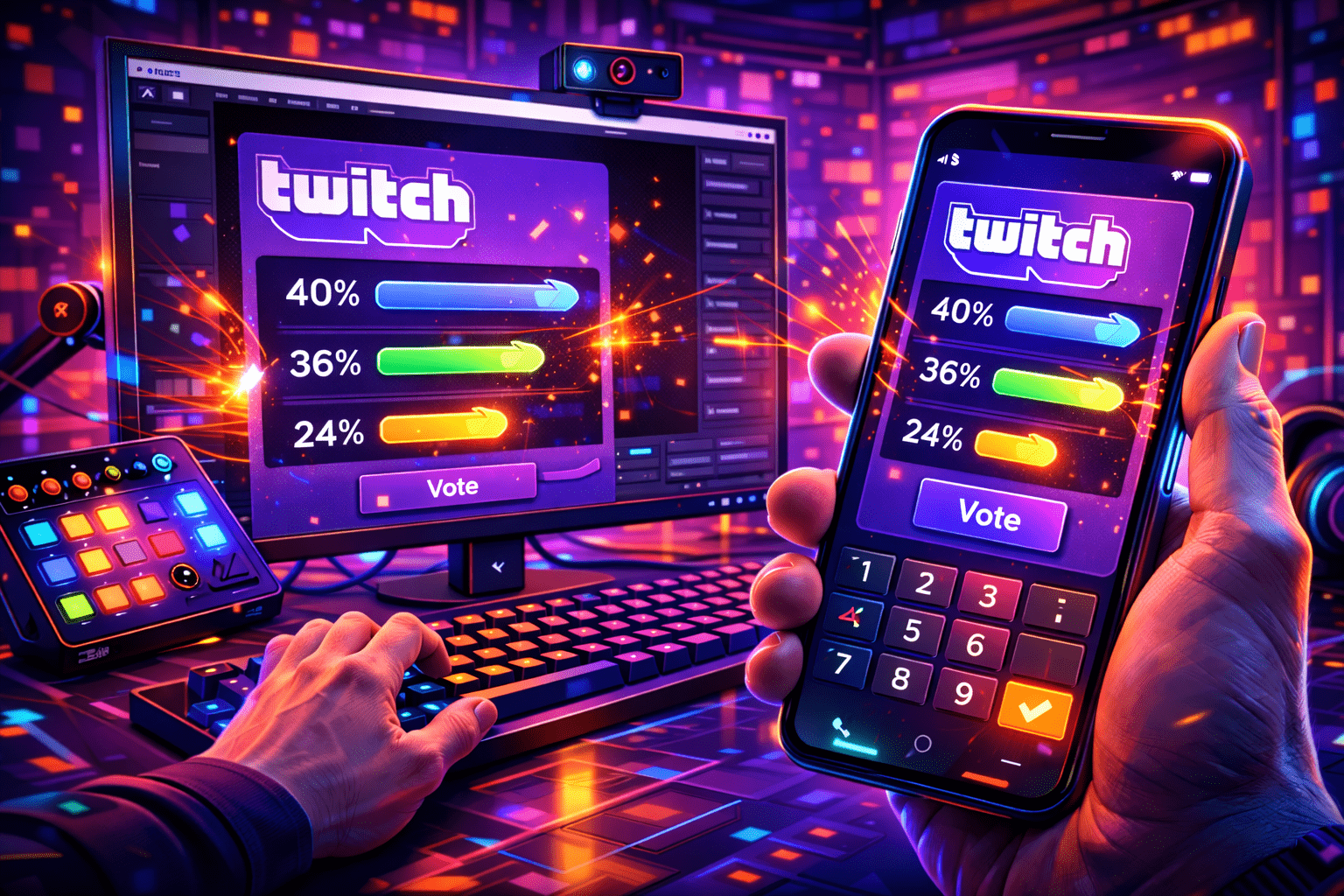
A poll on Twitch is a native viewer-voting widget the platform ships inside Stream Manager and the chat command line From eight years of running Partner onboarding for an agency.. In my Affiliate onboarding work, the streamer writes a question, lists two to five answers, sets a timer, and viewers tap a single button to vote. Twitch's developer docs are blunt about the format: "Polls can provide from 2 to 5 choices for viewers to choose from." The widget runs at the top of chat, updates live. Worth pinning to the dashboard. Posts a final result message in the channel when the timer hits zero.
Polls solve a small but real problem: chat moves too fast for a clean vote. Asking "yes or no" in a busy chat at 200 messages per minute produces noise, not a count. The poll widget gives every viewer one button, one tally, and a deadline. That structure is why it has stuck around as one of the few Affiliate features Twitch has barely touched since launch, and why even big variety streamers still use it for game choice, route picks, and crowd-sourced challenge runs.
- Free first vote for every logged-in viewer.
- Optional Channel Points or Bits cost for additional votes (set per poll).
- Result message auto-posted in chat at the end.
- Only one poll active at a time per channel.
# Twitch poll rules at a glance
A creator I work with hit this last week — twitch tweaks small UI details every few months, so it pays to check the live numbers before you write the prompt (this is the exact line I gave a creator last week). Here's the verified state in April 2026, sourced from the Twitch help portal and the Helix Polls API reference.
- Eligibility: Twitch Affiliate or Partner only. Hobby streamers below the threshold see no /poll panel.
- Answer count: minimum 2, maximum 5 per poll (per the Helix API spec).
- Question length: 60 characters maximum.
- Answer length: 25 characters per option.
- Timer: 1, 2, 3, 5 or 10 minute presets in the UI; default is 1 minute.
- Active polls: only one poll at a time per channel; a new one cannot start until the current one ends.
- Extra-vote cost: 1 Channel Point or 1 Bit minimum, configured per poll.
- Free vote: every viewer always has one free vote even when extra-vote costs are enabled.
- Chat commands: /poll opens the modal, /endpoll closes voting, /deletepoll wipes the active poll.
One quirk worth flagging up front. From eight years on this dashboard, twitch's developer reference still exposes bits_voting_enabled and bits_per_vote on the Polls endpoint, but several streamers reported the Bits-voting toggle vanishing from the chat UI without an announcement, with an open UserVoice thread asking Twitch to bring it back. Channel Points-boosted votes are the reliable path in 2026. Bits voting works through the API but is hit-or-miss in the front-end. We dig into the trade-off below.
# How to create a poll on Twitch via chat
The chat-command path is the fastest way to launch a poll once you know the syntax. It works for the broadcaster and any moderator who has been added with /mod, on desktop browser only. Five steps, about thirty seconds end to end:
- Type /poll in your own chat and press Enter. A modal slides in over the chat panel.
- Write the question in the top field. Keep it under 60 characters; Twitch hard-caps the length.
- Add 2 to 5 answer options. Each is capped at 25 characters, so trim before you click.
- Pick the timer: 1, 2, 3, 5 or 10 minutes. Default is 1 minute, which is too short for casual chats.
- Optional: enable Channel Points voting (and, if it is showing for you, Bits voting), then set the cost per extra vote.
- Click Start Poll. A banner pops at the top of chat with a Vote button and a countdown.
While the poll is live you can end it early with /endpoll. Tested last shift. Which closes voting and posts the current results. Type /deletepoll instead and the poll disappears with no result announcement. Use that one when you wrote the wrong question and want a clean restart. After a poll ends naturally, Twitch posts the breakdown in chat and the modal stays accessible for the rest of the session if you want to glance at the numbers again.
# How to create a poll from the Creator Dashboard
Streamers and channel editors who already keep the Creator Dashboard open will find the Quick Action route smoother than the chat command. There is no chat focus to steal, no command to mistype, and the form stays open after the poll ends so you can immediately fire a follow-up. Note: moderators do not get this UI. Only the broadcaster and channel editors can use Quick Actions to start a poll.
- Open Creator Dashboard, then click Stream Manager in the left sidebar.
- On the right side, find the Quick Actions panel and click the plus icon to add a new action.
- Scroll down to the Grow Your Community group and pick Manage Poll. The action now lives on your dashboard for every future stream.
- Click Manage Poll. The poll modal opens with the same fields as the /poll command.
- Fill in question, 2-5 answers, timer, and Channel Points or Bits cost (if you want extra votes). Click Start Poll.
After the timer expires you can hit View Poll Results to see the breakdown without scrolling chat From eight years of running Partner onboarding for an agency.. The dashboard does not keep an indefinite history. Only the most recent poll is retained, which is why streamers who track engagement metrics often pipe poll outcomes into a third-party tool such as Streamer.bot or a custom Helix-API script. Twitch UserVoice still has an open ticket asking for native poll history. Until that ships, treat the result message as ephemeral.
# Channel Points and Bits: how extra votes work
The headline rule: every viewer gets one free vote. Extra votes are a paid layer that the streamer enables per poll. Twitch announced the Channel Points version in March 2020 and it has been the dominant path ever since. Setting it up takes one toggle and one number.
- Enable Channel Points voting in the poll modal. The toggle sits below the timer.
- Set the cost per extra vote. The minimum is 1 Channel Point; common values sit between 100 and 500 points so the price feels real but not punitive.
- Once the poll goes live, viewers can spend any multiple of that cost from their balance to add weight to their preferred outcome.
- The widget shows a running total of weighted votes, not raw voters; chat learns to read this fast.
Bits voting is the murkier sibling. The Helix Polls API still accepts a bits_voting_enabled flag with a bits_per_vote value (minimum 1 Bit), and a chunk of Affiliate accounts can still toggle it in the UI. Other streamers report the Bits row missing without notice, which lines up with several open UserVoice threads asking Twitch to restore it cleanly. If you see the toggle, it works the same way as Channel Points: pick a per-vote Bits cost, viewers cheer to add weighted votes. If you do not, default to Channel Points and skip the chase.
One nuance most guides skip: extra-vote costs do not change who wins. They change how confident the chat is in a result. A 60/40 free-vote split that flips to 80/20 once paid votes are counted means the loud side cared enough to spend — I have seen this stop a dozen channels from hitting Affiliate.. That signal alone is useful for editorial calls (next stream theme, schedule changes). (this is the exact line I gave a creator last week) It is the main reason to keep extra votes turned on by default.
# Can mods or editors run a poll for the streamer
Yes, with a split between two roles Twitch keeps mostly invisible to viewers.
- Moderators (added with /mod) can start, end and delete polls through chat commands. /poll, /endpoll and /deletepoll all work for them on the broadcaster's channel. They cannot, however, use the Stream Manager Quick Action UI.
- Editors (added in Channel Settings → Roles Manager → Editor) get the Quick Actions UI and can fire polls from the Creator Dashboard exactly like the broadcaster.
- Bots that hold the channel:manage:polls OAuth scope (Streamer.bot, SAMMI, custom Helix integrations) can create polls on the streamer's behalf the moment the broadcaster grants the scope.
On busy streams a single trustworthy mod handling polls keeps the broadcaster in flow. Chat learns the rhythm, the question lands, the timer runs, the result drops in chat, all without the streamer touching the keyboard. We see this pattern on raid nights where the broadcaster wants poll-driven game decisions but can't Alt-Tab out of the active match. Treat your prediction-and-poll mod the same way you would treat your sub-train mod: brief them on tone, on the timer length your chat actually responds to. On which questions to never run.
# Creating a Twitch poll on the mobile app
Honest answer: the iOS and Android Twitch apps don't expose poll creation in 2026. There's no Quick Action panel in mobile Stream Manager, no /poll modal, no Channel Points settings tile (this is the exact line I gave a creator last week). Mobile streamers have three workarounds, in increasing order of setup complexity:
- Run a desktop moderator. The fastest fix. A friend on a laptop fires /poll commands while you stream from your phone. Zero extra software.
- Use Streamer.bot or SAMMI on a home PC. Both connect to the Helix Polls API and accept chat-command triggers, so you can type a custom command from your phone (for example !poll game-night) and the home rig fires the poll on your behalf.
- Lean on a third-party widget for the duration of mobile streams. Streamlabs Cloudbot, Nightbot and the Streamlabs Poll Widget all run polls in chat without touching Twitch's native UI; the trade-off is no Channel Points or Bits voting, since those hooks are Twitch-internal.
Voting on a poll works fine on mobile. The widget appears at the top of chat, viewers tap their answer, the same one-vote-per-viewer rule applies, and Channel Points spend goes through the mobile app exactly like on desktop. The mobile gap is purely on the creation side.
# Poll alternatives if you are not an Affiliate yet
Native polls are gated behind Affiliate status. See it weekly in office hours. Which means a four-criterion qualification (25 followers, 4 hours of stream time across 4 different days, and an average of 3 concurrent viewers in 30 days — per Twitch). Until you tick those boxes, three free chatbot tools fill the same gap with different ergonomics.
- Nightbot (nightbot.tv): free, browser-based, the lowest-friction option. Add a custom !poll command that posts a question and answer set, then count chat replies. Nightbot supports up to 9 answer options, a quiet edge over the native 5.
- Streamlabs Cloudbot: poll module ships in the Cloudbot dashboard, runs by chat command, integrates with Streamlabs alerts so a winning option can fire an animation overlay.
- Streamlabs Poll Widget: browser-source overlay with custom HTML/CSS, ideal once you want the poll on screen rather than only in chat. No Affiliate gate; works for any Twitch or YouTube account.
- StreamElements Chatbot: poll command with vote tallying, similar feature set to Cloudbot, plus a public results page per poll.
These tools cover the engagement use case but never replicate the Channel Points hook, because Channel Points is a closed Twitch system. Once you graduate to Affiliate the native poll widget is strictly better; until then a chatbot poll is plenty for crowd decisions and engagement bumps. Need a hand reaching the threshold? Our guide to joining the Twitch Affiliate Program walks through every requirement and the typical timeline.
# Twitch poll ideas that drive chat activity
Generic questions die in chat. Specific, time-bound, gameplay-anchored questions explode. Six patterns we see work on real Twitch channels in 2026:
- Game pick. "Which game next: Helldivers 2, Marvel Rivals, or Path of Exile 2?" Three answers, 5-minute timer, fires before a break. The clearest legitimate use case for the poll feature.
- Build or route choice. "Which Diablo 4 build for the season grind?" Lets the chat commit to the next two hours of content with you.
- Self-imposed challenge. "No-hit Lies of P boss attempt or normal run?" Two answers, 1-minute timer. Stakes are immediate, the answer matters in the next minute.
- Subscriber tier reward poll. "Subs pick the next Pokemon Nuzlocke starter." Combine with subscriber-only mode in chat to spike sub conversion that night.
- Schedule and editorial. "Stream Saturday or Sunday this week?" 10-minute timer, run mid-stream when peak viewers are online. Replaces a Discord post with one click.
- Just-because chaos. "Will I drink water in the next 10 minutes?" Low investment, high meme value, keeps chat warm during downtime.
The rule beneath the patterns: a good poll has a deadline the viewer can feel, an answer the streamer will actually honour, and a question short enough to fit the 60-character cap without losing meaning. Pair polls with Twitch predictions for stakes-based questions and your interactive layer suddenly has two distinct gears: predictions for events, polls for choices. We built the broader case for combining them in our Twitch Channel Points guide.
# Common Twitch poll mistakes to avoid
Most poll failure modes fall into the same buckets. Run this checklist before you click Start Poll on a busy stream:
- Default 1-minute timer on a slow chat. New streamers hit it constantly. A 60-second window misses lurkers and anyone reading on mobile. Default to 3-5 minutes; reserve 1-2 minutes for fast-paced PvP only.
- Overlapping with a Hype Train or sub-train. Both formats already absorb chat attention. Polls launched in the middle of a Hype Train get ignored.
- Five answers when two would work. More choices look fun, but fragmented votes produce wishy-washy outcomes. If you want a real signal, run a binary poll. Save 4-5 options for variety nights where the question itself is the entertainment.
- Pricing extra votes too high. Setting Channel Points cost at 5,000 per extra vote prices out everyone except subs, which kills the loud-minority signal you actually want. Stay between 100 and 500 for most channels.
- Forgetting the question is permanent. Once a poll starts, the question and answers cannot be edited. Re-read before you click; /deletepoll is the only fix and it kills any partial vote tally.
- Ignoring the 60 / 25-character caps. Twitch silently truncates anything over the limit. If your question reads weird in the modal preview, you blew the cap. Trim and retry.
Bonus pitfall: running a poll, ignoring the result, then making the opposite call on stream. Chat remembers. The poll is implicit promise; honoring it (even when the result is the boring choice) is what keeps the format alive on your channel. Streamers who run polls weekly and respect the outcome get visibly more participation per poll over time.
# FAQ: Twitch polls answered
Do you need to be a Twitch Affiliate to create polls?
Yes. The native poll widget is restricted to Twitch Affiliates and Partners. The Helix API confirms the gate explicitly: "Running polls is available to partners and affiliates only." Hobby streamers below the Affiliate threshold can still poll their chat through Nightbot or Streamlabs Cloudbot, but lose the Channel Points and Bits hooks.
How many answer options can a Twitch poll have?
Between 2 and 5. The Twitch developer documentation states it plainly: "Polls can provide from 2 to 5 choices for viewers to choose from." If you need 6 or more options, run sequential polls or move to a chatbot poll widget like Nightbot, which allows up to 9 options.
What is the maximum poll duration on Twitch?
10 minutes via the native UI. The UI presets are 1, 2, 3, 5 and 10 minutes, with 1 minute as the default. The Helix Polls API itself accepts durations of 15 seconds to 1800 seconds (30 minutes) per the Twitch dev docs (https://dev.twitch.tv/docs/api/reference#create-poll), so third-party bots holding the channel:manage:polls scope can run polls longer than the UI presets allow. UserVoice has an open thread asking Twitch to expose the longer durations in the native UI, but no public roadmap commitment as of April 2026.
Is there a /poll command in chat?
Yes. Type /poll in your own chat to open the poll creation modal. /endpoll closes the active poll and posts results. /deletepoll wipes the active poll without showing results. All three commands work for the broadcaster and any moderator who has been granted /mod status.
Can a moderator create a poll on the streamer's behalf?
Yes. Moderators can run /poll, /endpoll and /deletepoll inside the broadcaster's chat From eight years of running Partner onboarding for an agency.. The Stream Manager Quick Action UI is reserved for the broadcaster and assigned editors, but the chat-command path is identical. Bots that hold the channel:manage:polls scope can also start polls programmatically.
Can you create a Twitch poll from the mobile app?
No. As of April 2026, neither the iOS nor Android Twitch app exposes poll creation. Mobile streamers either lean on a desktop moderator running /poll, fire polls remotely through Streamer.bot or SAMMI on a home PC, or fall back to chatbot-driven polls in chat. Voting on a poll works on mobile without restriction.
Do Bits-boosted votes still work in 2026?
Mixed. The Helix Polls API still exposes bits_voting_enabled and bits_per_vote parameters, and a portion of Affiliate channels still see the Bits-voting toggle in the poll modal. Other streamers report the option has disappeared without an announcement, with a UserVoice thread asking Twitch to bring it back. Default to Channel Points-boosted votes for reliability; use Bits voting only when the toggle is visible in your specific account.
How do I see past Twitch poll results?
There is no native long-term archive. After a poll ends, the Manage Poll panel keeps the most recent result accessible during the same session, and Twitch posts the breakdown as a chat message. To track polls across streams, pipe the Helix Channel Poll Begin / Progress / End EventSub events into a third-party tool such as Streamer.bot or a custom dashboard. Polls also do not appear on VOD timelines yet.
# What to do next
Polls are the lowest-friction interactive feature on Twitch. Two to five answers, a 1 to 10 minute timer, one free vote, optional Channel Points cost for extras, and a /poll command anyone with mod status can fire. The numbers above are the operating manual. Internalise them and you stop fumbling the modal mid-stream.
Three setups before your next stream:
- Add Manage Poll to your Stream Manager Quick Actions so the modal is one click away.
- Pre-write three reusable poll templates (game pick, build choice, schedule call) in a notepad so you never freeze on phrasing.
- Pick a default timer that matches your chat speed: 3 minutes for casual streams, 5 minutes for slow chats with lurkers, 1-2 minutes only for fast PvP.
Polls solve the simple-decision case; pair them with Twitch predictions for stake-based outcomes, layer a Hype Train rhythm on top, and build out the channel's interactive vocabulary with custom chat messages. The streamers who win Twitch in 2026 are the ones who stack these primitives into a tight engagement loop, not the ones who treat each feature in isolation.